Guide
Snack Product Photography Ideas
Practical snack product photography ideas for bags, bars, boxes, flavors, ecommerce PDPs, launch campaigns, and ads.
- Guides
- Product Photography Ideas

Examples
Scenes from the Riverflow library
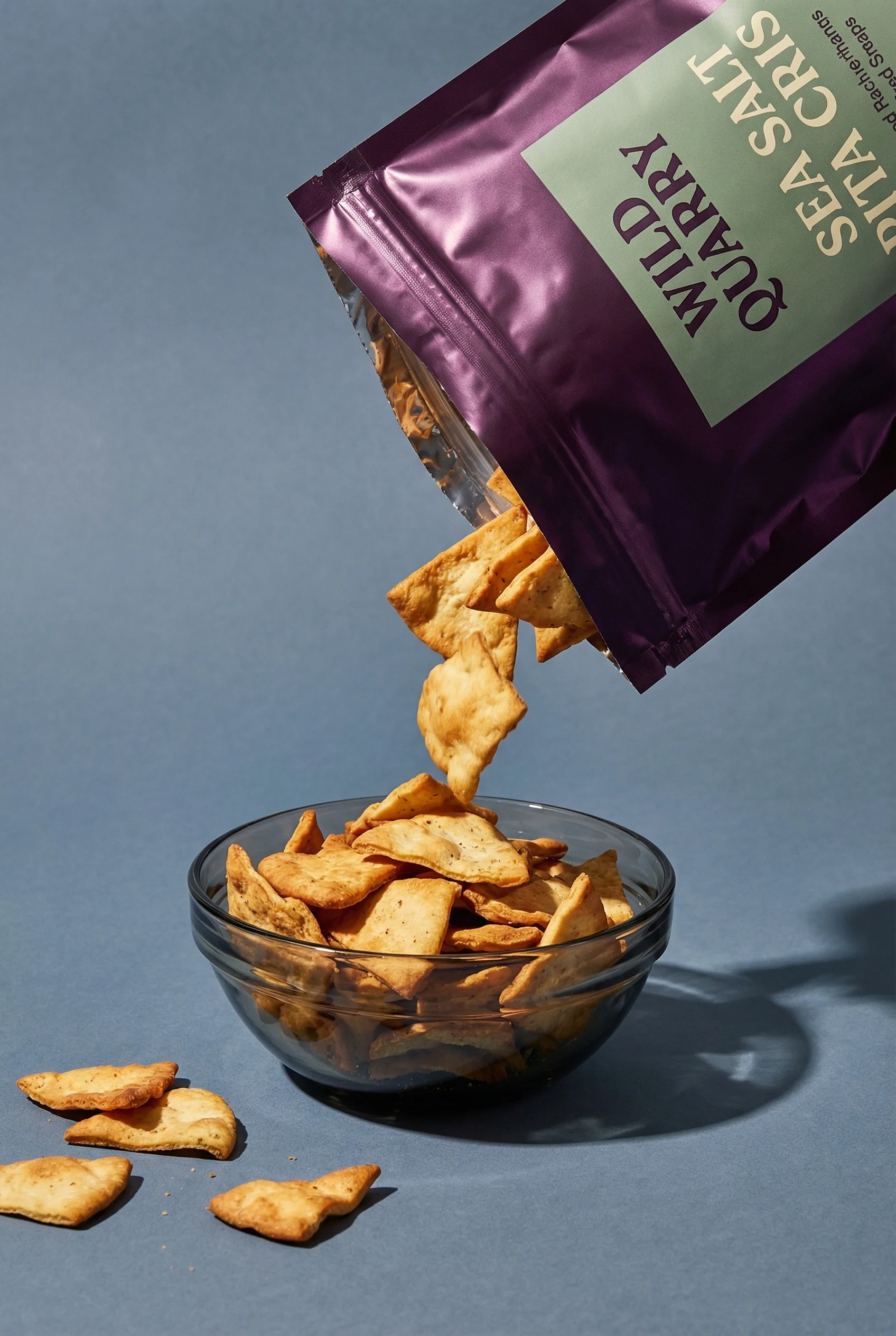
Falling crisps create action and appetite appeal.
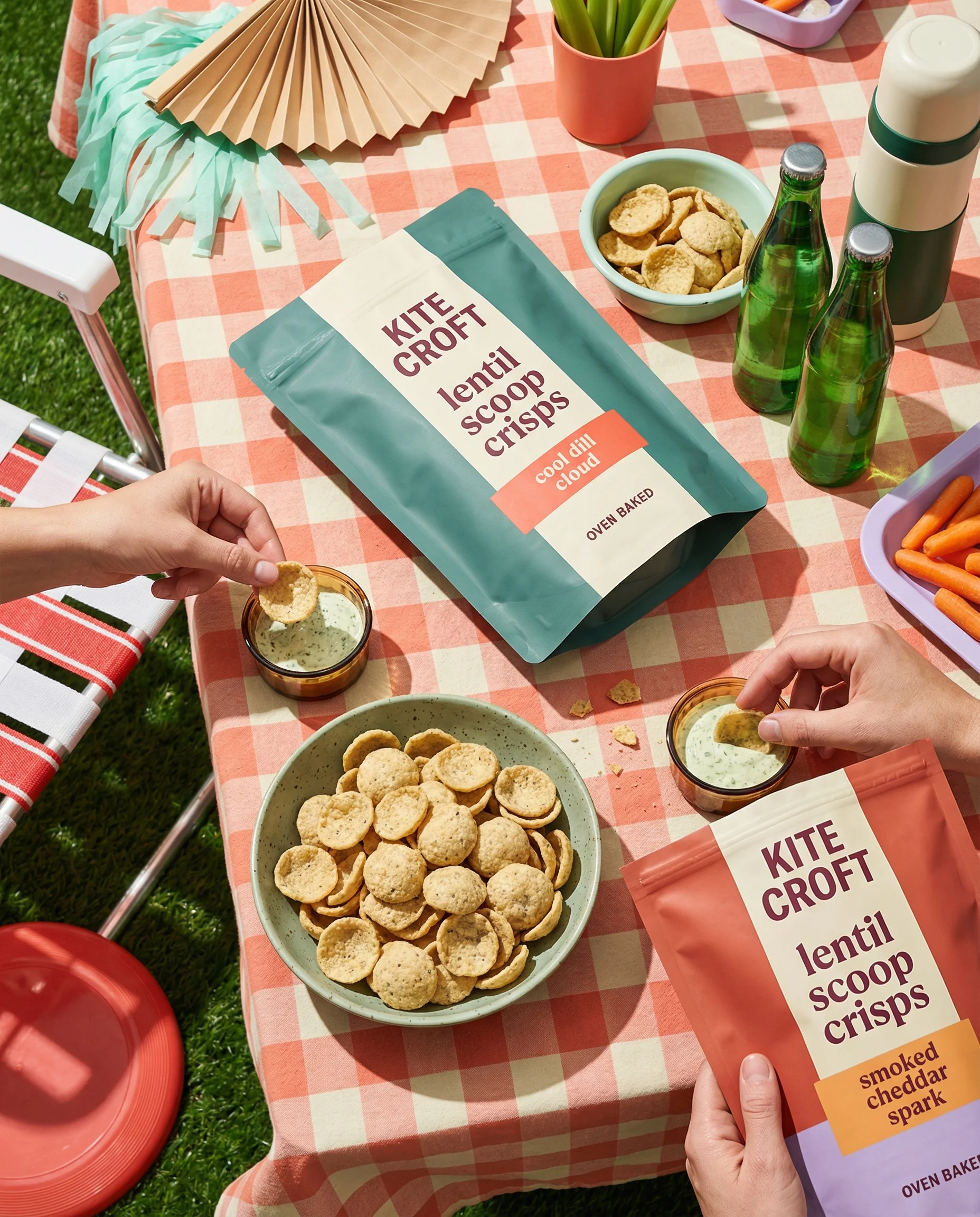
Outdoor sharing scene gives the snack a social use case.
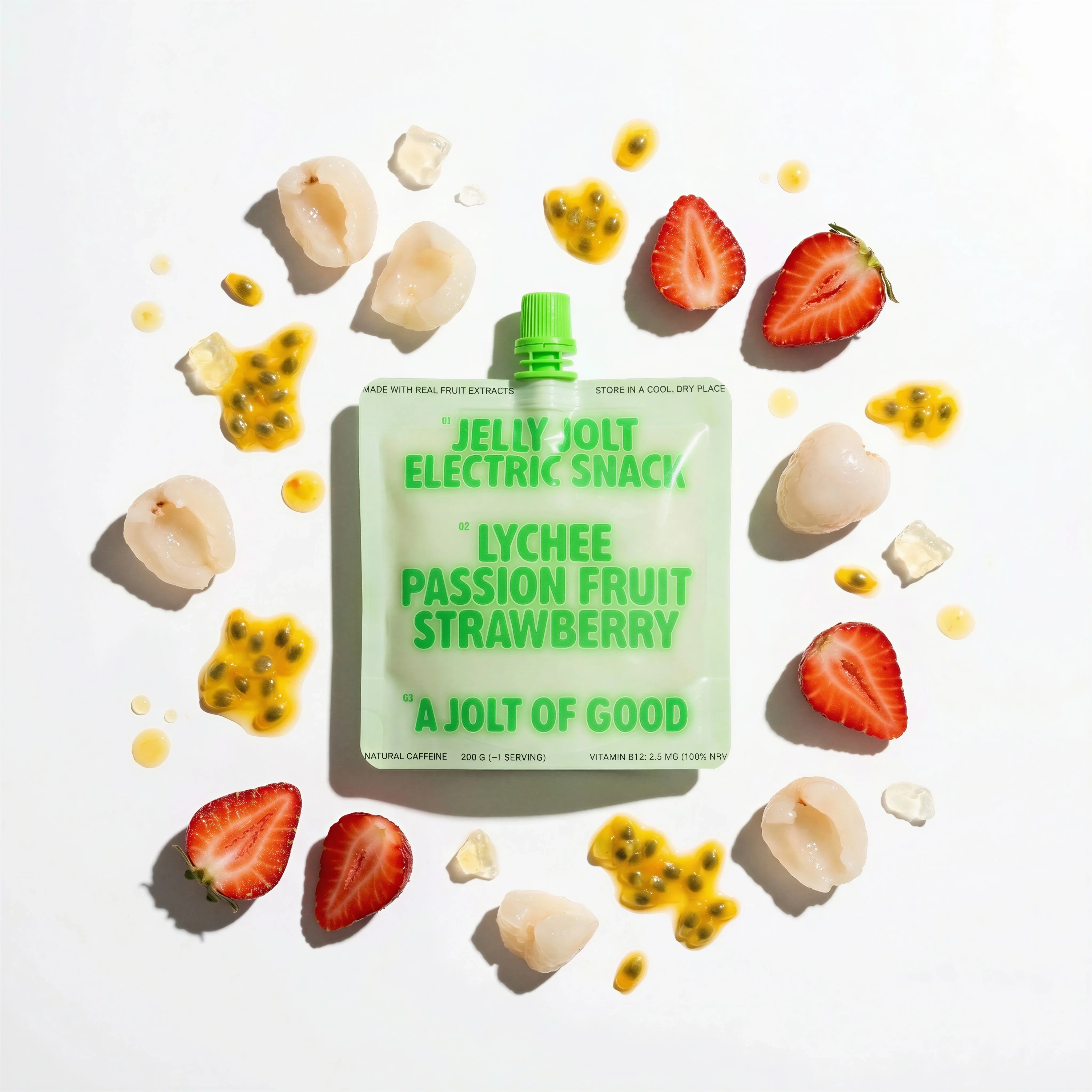
Ingredient-led flat lay adds color and flavor cues.
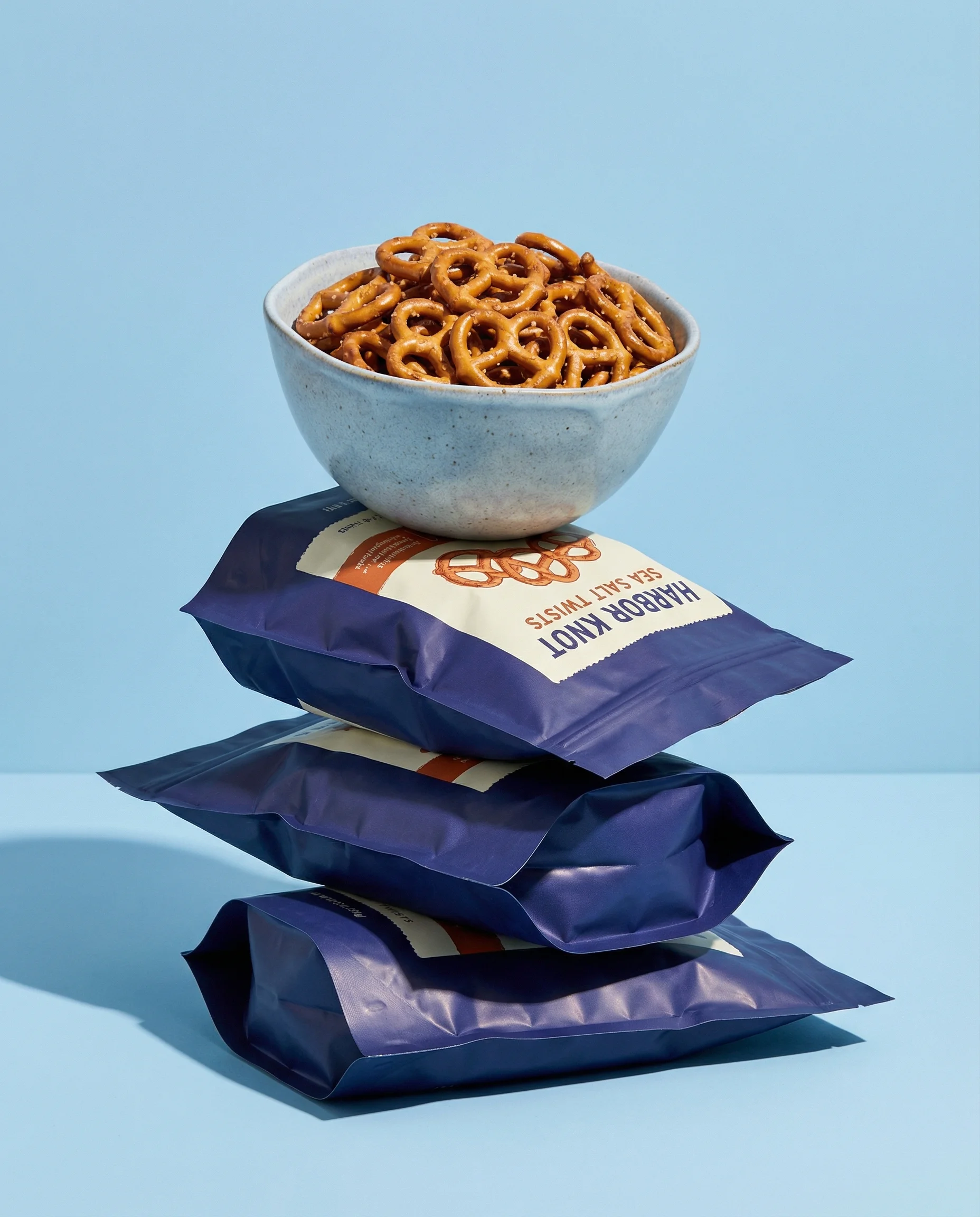
Stacked pretzel styling adds crunch, shape, and appetite appeal.
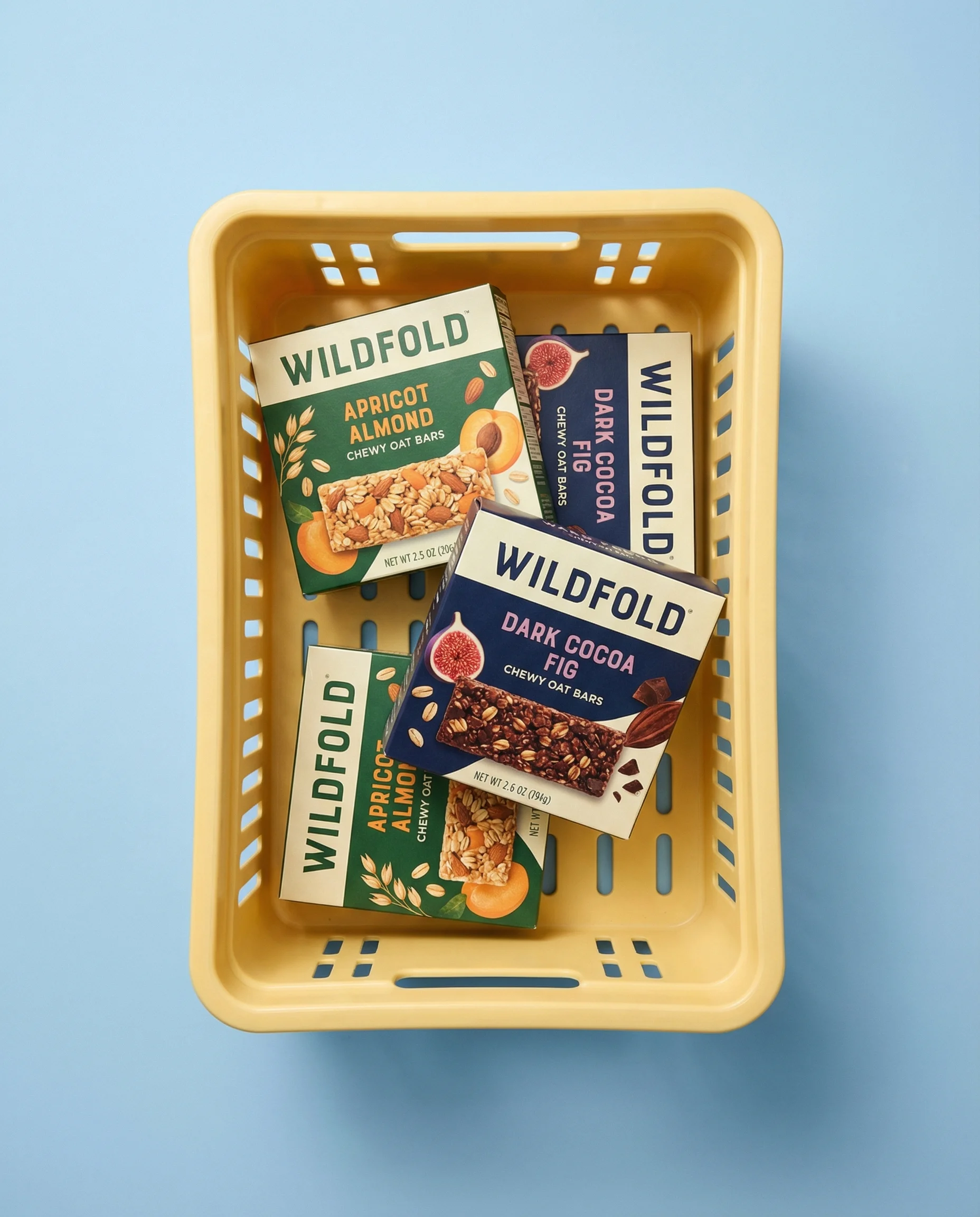
Crate arrangement shows bar variety and supports bundle-led merchandising.
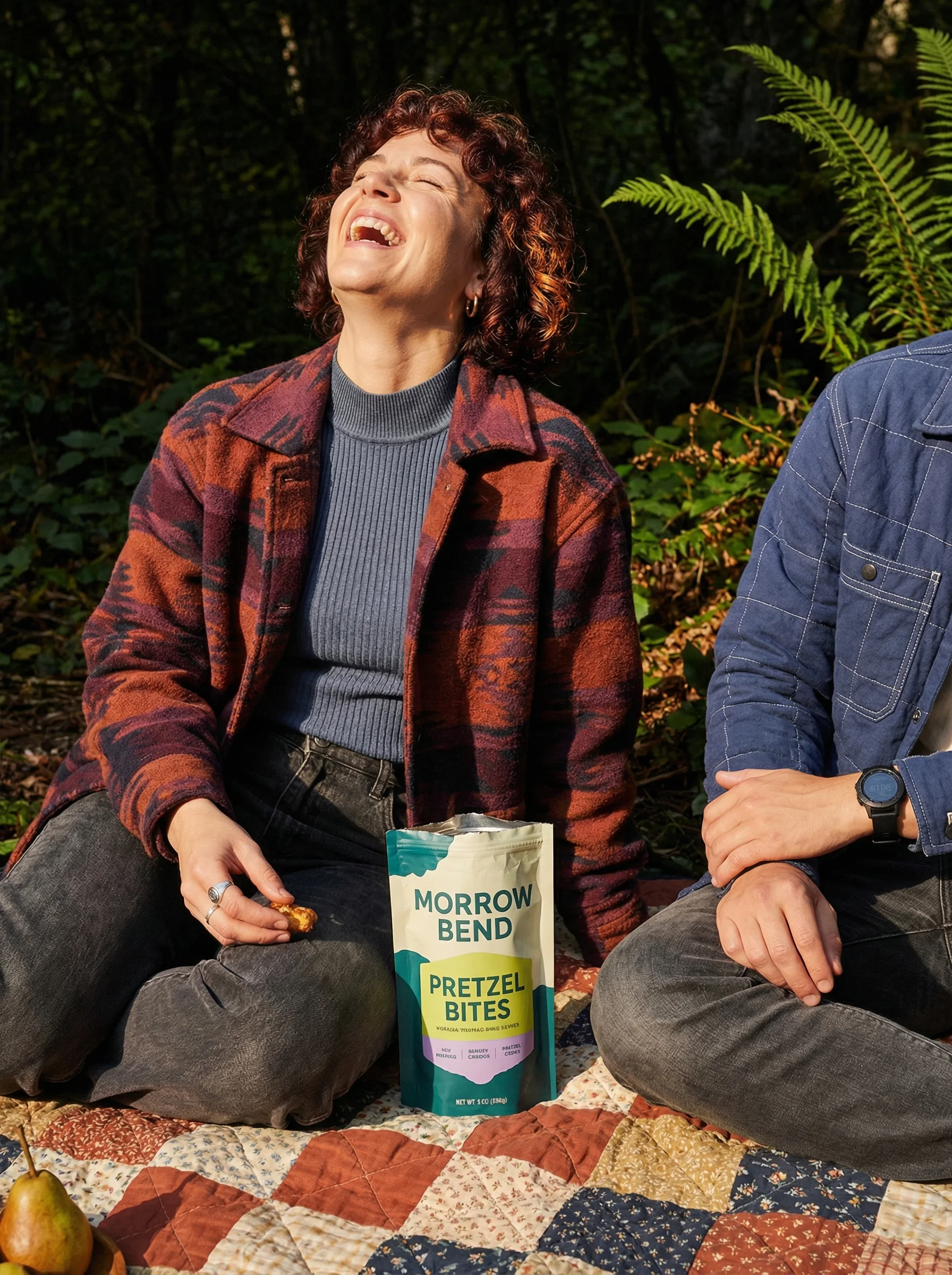
Picnic moment gives snacks a warm sharing occasion and lifestyle setting.
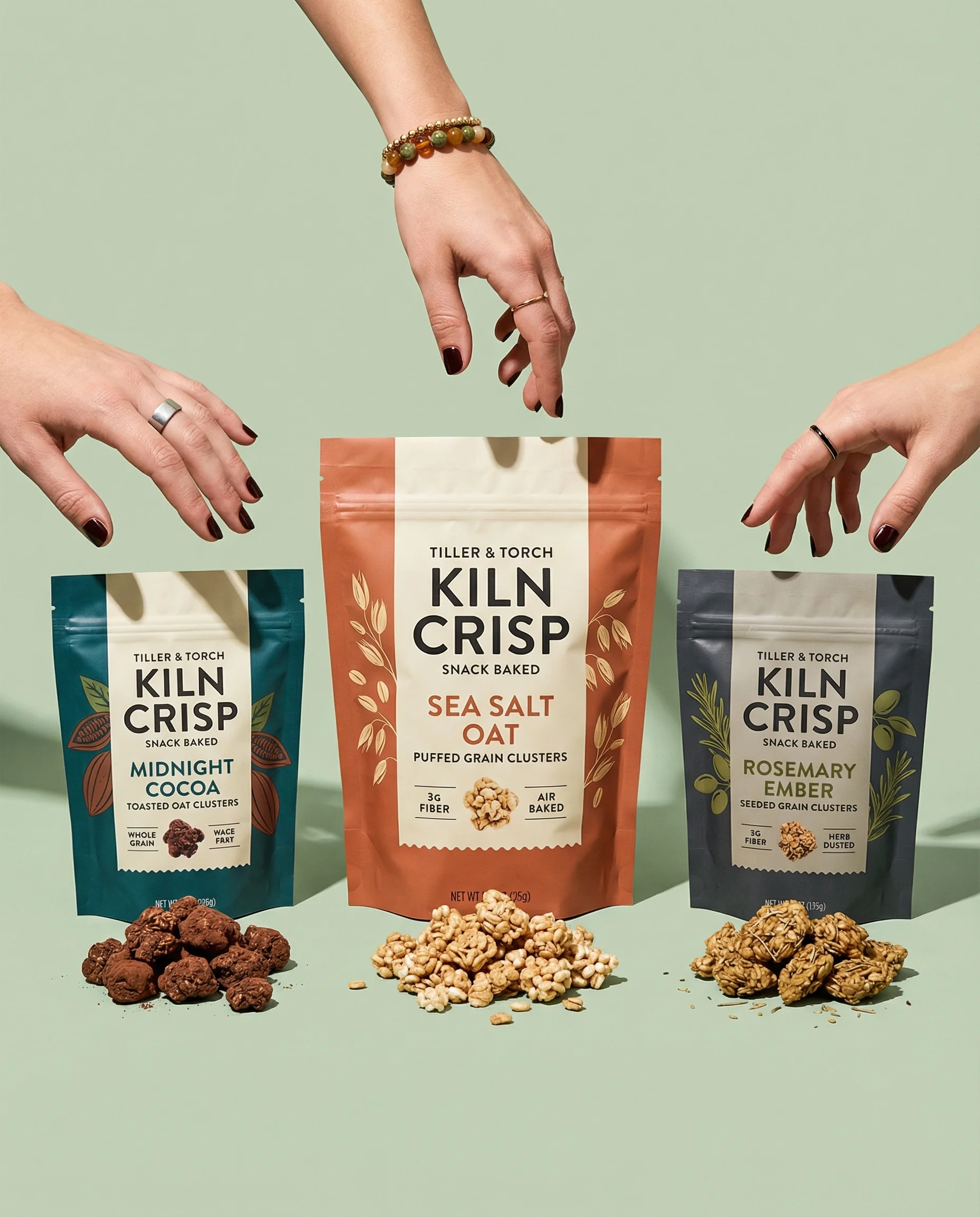
Snack product photography has to create appetite without losing accuracy. Packaging carries the brand, but the food itself proves shape, texture, flavor, portion, and eating moment.
For the full asset plan, start with an ecommerce product photography shot list. Snacks usually need both clean product-on-white photography for pack truth and detail product photography for crunch, filling, seasoning, and bite proof.
Shot ideas for snack brands
Visual playbook
Snack visual playbook
Use snack scenes to clarify pack, texture, flavor, and use occasion.
Open-pack appetite
Show chips, crisps, cookies, bars, crackers, clusters, or bites coming out of the package in a controlled way.
Use when: Use for PDP support, retailer pages, flavor launches, and ads focused on appetite appeal.
Prompt cue
Create a snack open-pack scene with the bag label readable, pita crisps pouring forward, controlled crumbs, accurate texture, and clean copy space.
Texture detail
Show seasoning, crunch, chocolate chips, nut pieces, cracker edges, bar cross-section, or filled center.
Use when: Use when texture or ingredient distribution is a major reason to buy.
Prompt cue
Create a snack texture close-up with stacked pretzels, crisp edges, light salt detail, visible package in background, and fresh appetizing styling.
Occasion spread
Place the snack in a desk, pantry, lunchbox, picnic, road trip, movie night, party bowl, or after-school context.
Use when: Use for paid social, email, bundles, retail campaigns, and seasonal promotions.
Prompt cue
Create a picnic snack scene with the hero pack readable, snack pieces visible, warm natural light, simple sharing context, and no clutter.
Snack props should never compete with the food. Cheese, chili, lime, sea salt, honey, peanut butter, cocoa, berry, cinnamon, or herbs only help when they match the SKU and stay secondary to the finished snack.
Additional snack ideas to brief:
- A wrapper or pouch opened just enough to show the real product shape.
- A cross-section for bars, filled cookies, protein bites, wafers, or clusters.
- A portion-size image with a bowl, hand, lunchbox, or counted pieces.
- A variety-pack grid that shows every included flavor and pack count.
- A pantry, desk drawer, tote bag, or school-lunch context for repeat purchase cues.
- A controlled motion image, such as one pour or one falling piece, with the pack still readable.
Operator notes for appetite and accuracy
Snack images have to make food look fresh while staying honest about the product in the bag. The practical review is simple: would a shopper recognize the delivered snack from the photo?
Check each direction for:
- Realistic piece shape, size, color, and surface texture.
- Controlled crumbs that suggest crunch without making the snack look stale.
- Filling, chocolate, seasoning, or inclusions shown at a believable level.
- Pack scale that distinguishes mini, single-serve, sharing, and family-size formats.
- Lifestyle props that match the eating occasion rather than borrowing generic picnic or party language.
Riverflow is useful for snack teams when the food and pack proof are already locked. Use it to create occasion variants, flavor launches, and retailer-safe crops from the same packaging reference without restyling the snack into something the customer will not receive.
PDP vs ads usage
Choose the right approach
How snack shots work by channel
Use PDPs to clarify what is in the pack and ads to make the eating moment immediate.
| Moment | What to show | Why it works |
|---|---|---|
| PDP gallery | Closed pack, angled pack, open pack, snack pieces, portion or count, and flavor cue. | Makes packaging, size, format, and food texture easy to evaluate. |
| Variety pack | All included flavors, pack count, wrapper or bag scale, and clear ordering. | Prevents confusion about what is included in bundles and multipacks. |
| Paid social | Hero pack, food-out view, bite or spill, and a recognizable occasion. | Creates appetite and use context without hiding the product. |
| Launch campaign | Flavor color system, ingredient cue, texture detail, and pack hierarchy. | Introduces a new flavor while keeping the brand and SKU readable. |
Lifestyle images can create desire, but PDPs still need product evidence: packaging, portion, snack format, and included flavors.
For top-down lunchbox, pantry, or picnic scenes, use flat lay product photography to keep order and hierarchy clear. For hand scale on pouches and bars, product-in-hand photography helps avoid misleading pack size.
Starter shot list
Before you publish
Snack SKU checklist
- Front-facing packaging shot with flavor name readable.
- Angled pack shot showing depth, wrapper, box, pouch, or closure.
- Open-pack image with product visible.
- Snack piece, bite, stack, spill, or cross-section close-up.
- Flavor ingredient still life tied to the actual SKU.
- Multipack, variety pack, or bundle layout.
- Occasion scene for desk, pantry, lunchbox, movie, picnic, party, or travel.
- Paid ad crop with clear product and copy space.
Create this in Riverflow
Create it in Riverflow
Riverflow prompt recipe for snacks
Use this structure to turn the strategy into a specific creative brief that keeps the product accurate and the scene useful.
- 1
Product proof
Preserve pack structure, flavor name, logo, wrapper or pouch shape, color system, and product scale.
- 2
Food proof
Show the actual snack texture: crunch, crumb, filling, seasoning, chocolate, nut pieces, or bar cross-section.
- 3
Occasion
Choose one clear moment: pantry restock, lunchbox, desk snack, movie night, picnic, road trip, party bowl, or gym bag.
- 4
Channel
Create one PDP crop with pack and food visible and one ad crop with appetite appeal and copy-safe space.
Example prompt
Riverflow workflow
How this works in Riverflow
Use Riverflow to keep snack packaging and food texture accurate while adapting the same product into PDP, flavor launch, variety pack, and occasion-led ad assets.
Photoshoots
Start with appetite-aware Scenes
Choose brand-safe open-pack, pantry, lunchbox, desk, picnic, movie night, travel, or party Scenes from Riverflow's library, or bring owned Scenes from your own shoots. Apply a Style so wrappers, pouches, crumbs, flavor cues, and multipack layouts stay consistent across SKUs.
Images
Explore texture and occasion concepts
Use Riverflow 2.0 Pro, Google's Nano Banana 2, or OpenAI GPT-Image-2 for text-to-image and image-to-image work around bite detail, seasoning, bar cross-sections, controlled spills, and believable eating moments.
Editing
Scale the best snack setup
Generate 9 angle variants for bags, boxes, wrappers, or bars, change aspect ratio while keeping pack and food visibility natural, use Riverflow 2.0 Reference-Based Super Resolution to fix flavor name or packaging artwork in place without altering the rest of the image, and Swap product when a proven occasion Scene needs another flavor or pack size.
Mistakes to avoid
Crumbs make the snack look stale or damaged.
Use controlled crumbs to suggest crunch while keeping the product fresh and intact.
Scenes are overloaded with props.
Keep the finished snack and pack dominant, especially for small products and bright packaging.
Pack scale is misleading.
Show mini bars, single-serve pouches, and family-size bags with honest context.
Food looks unlike the real product.
Avoid exaggerated fillings, impossible chips, or over-perfect texture that weakens trust.
FAQ
How much mess is useful in snack photography?+
Use enough crumbs, seasoning, or spill to suggest texture and motion, but not so much that the snack looks stale, broken, or careless.
When should you show a bite or cross-section?+
Use it when the inside matters: bars, filled cookies, wafers, clusters, protein snacks, layered crackers, or products with visible inclusions.
What should variety-pack images make unmistakable?+
They should show included flavors, unit count, wrapper scale, and bundle configuration. A shopper should not need the product description to understand what is included.
Start creating
Get started with on-brand visuals
Turn guide ideas into product-accurate creative in Riverflow, using your brand, products, scenes, styles, and channel crops from the start.
Your catalog into campaign-ready Creative
Riverflow connects your products, brand rules and creative workflows so your team can create on-brand photoshoots, ads, videos and edits across every campaign.