Guide
Product-in-Hand Photography
A practical guide to product-in-hand photography, covering scale, hand styling, composition, category examples, and review checklists for brand teams.
- Guides
- Product Photography

Examples
Scenes from the Riverflow library
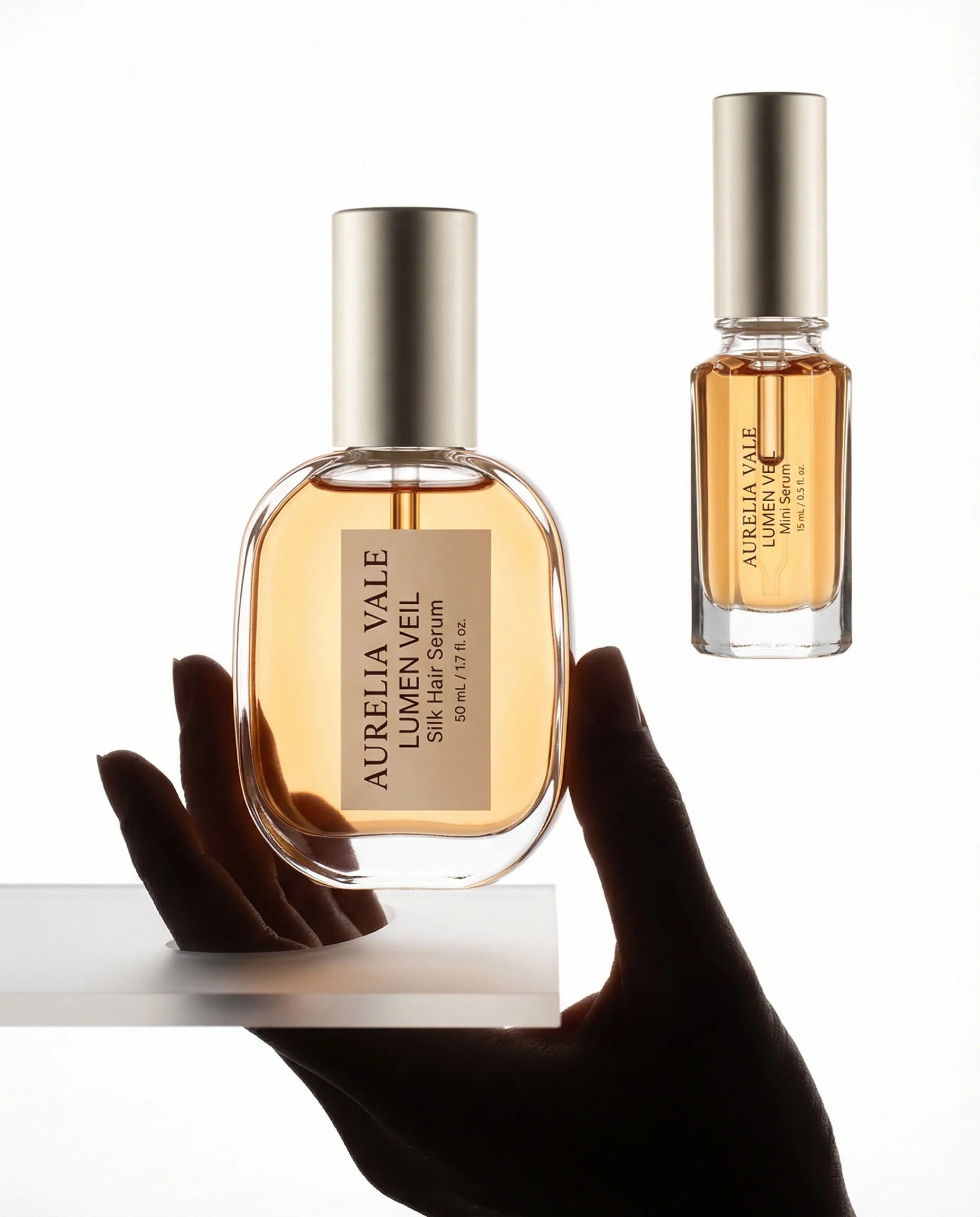
Silhouetted hand presents a serum bottle against a high-key white backlit setup.
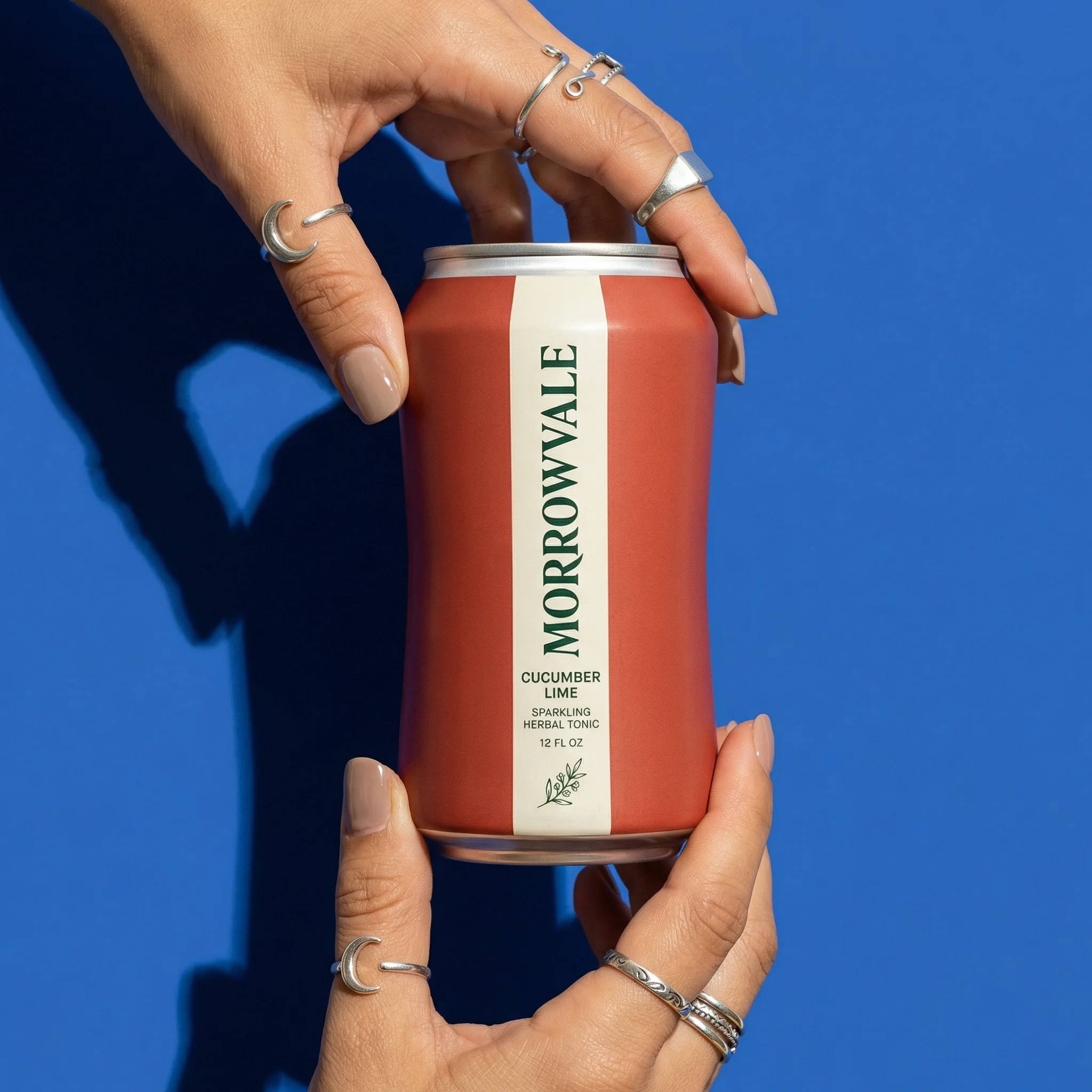
A bold canned drink is held by hands against graphic cobalt negative space.
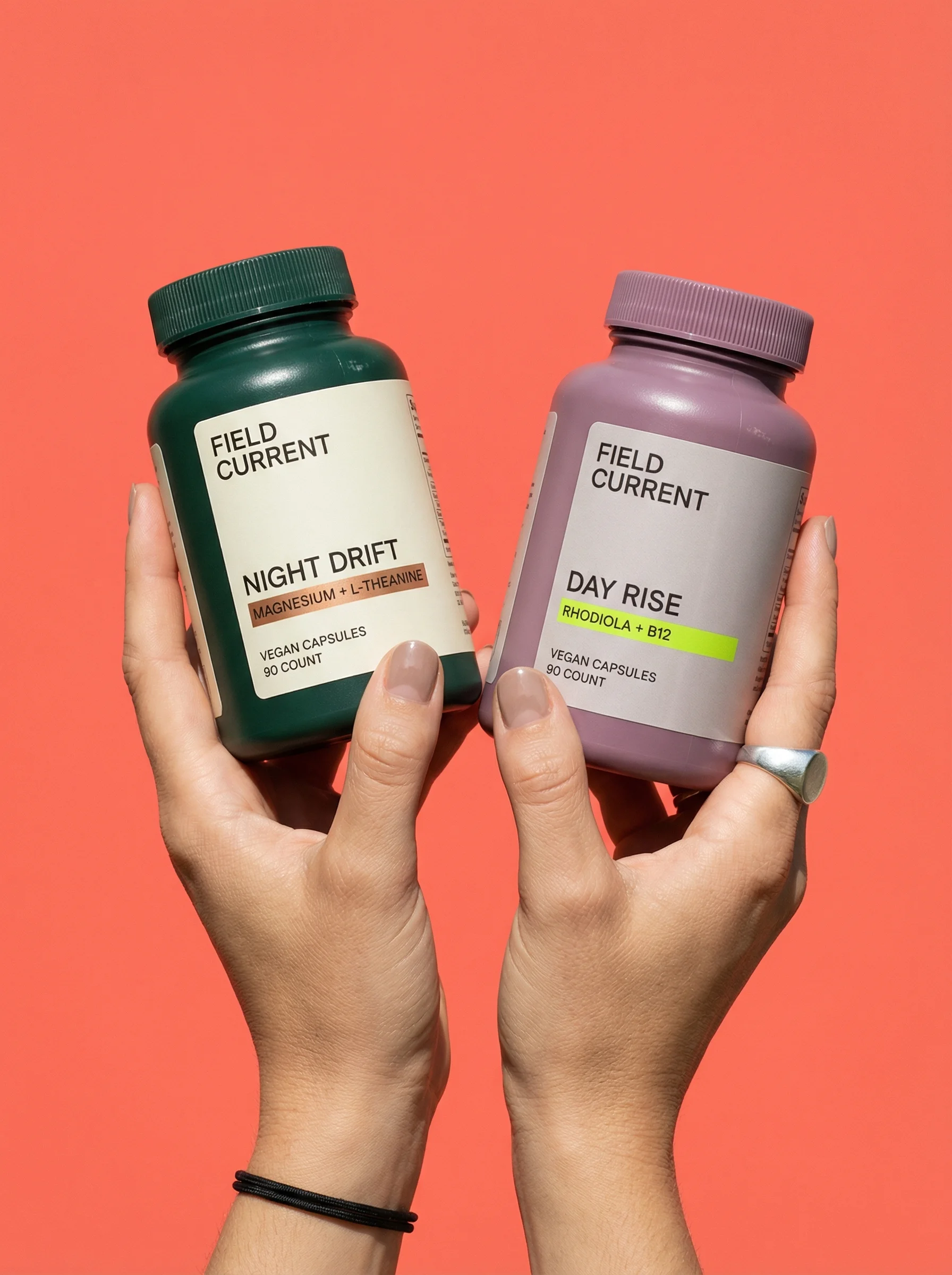
Two supplement canisters are lifted from below by hands against a coral backdrop.
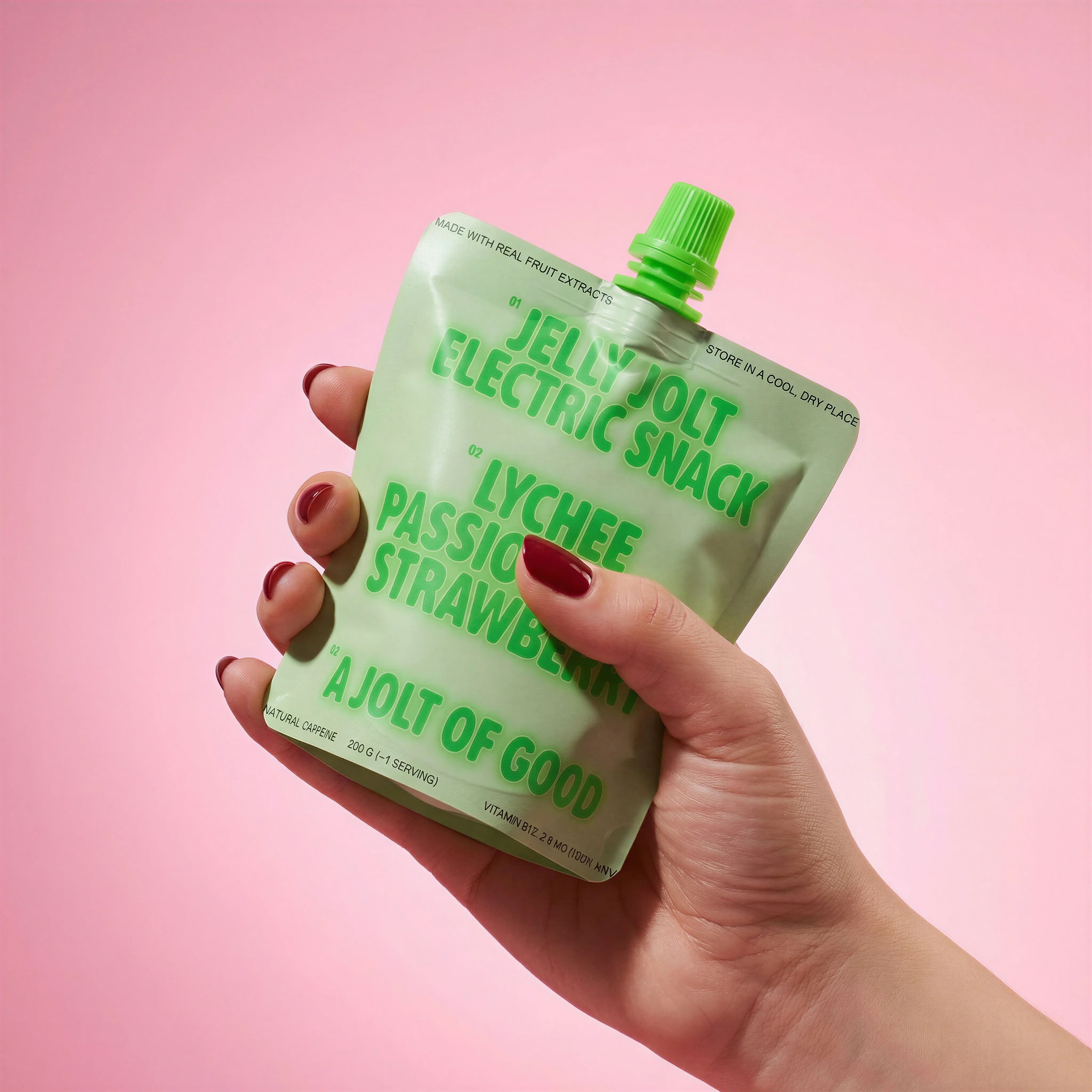
Snack pouch held toward camera to show scale, grip, and front packaging.
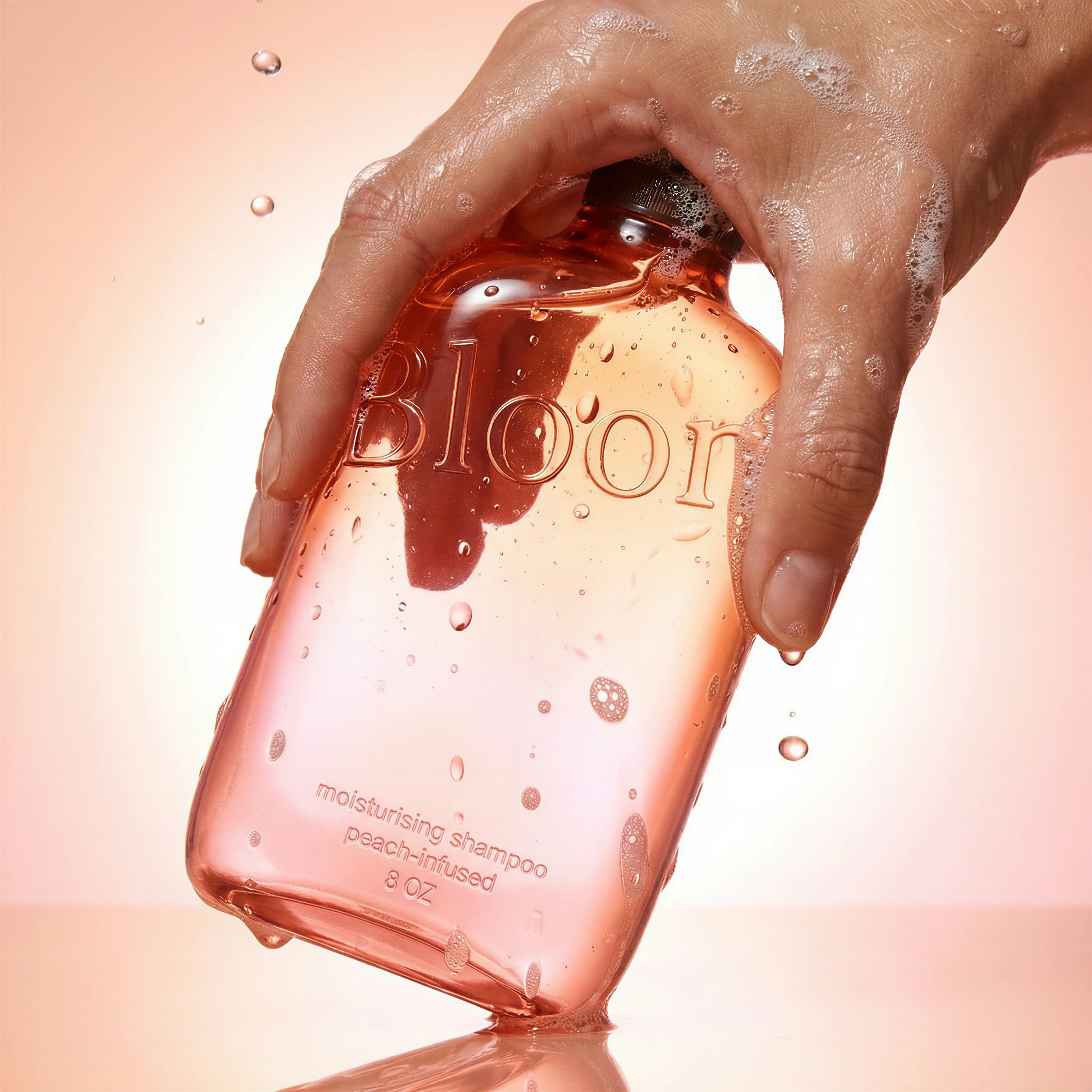
Handheld shampoo bottle with label-facing presentation and clean studio framing.
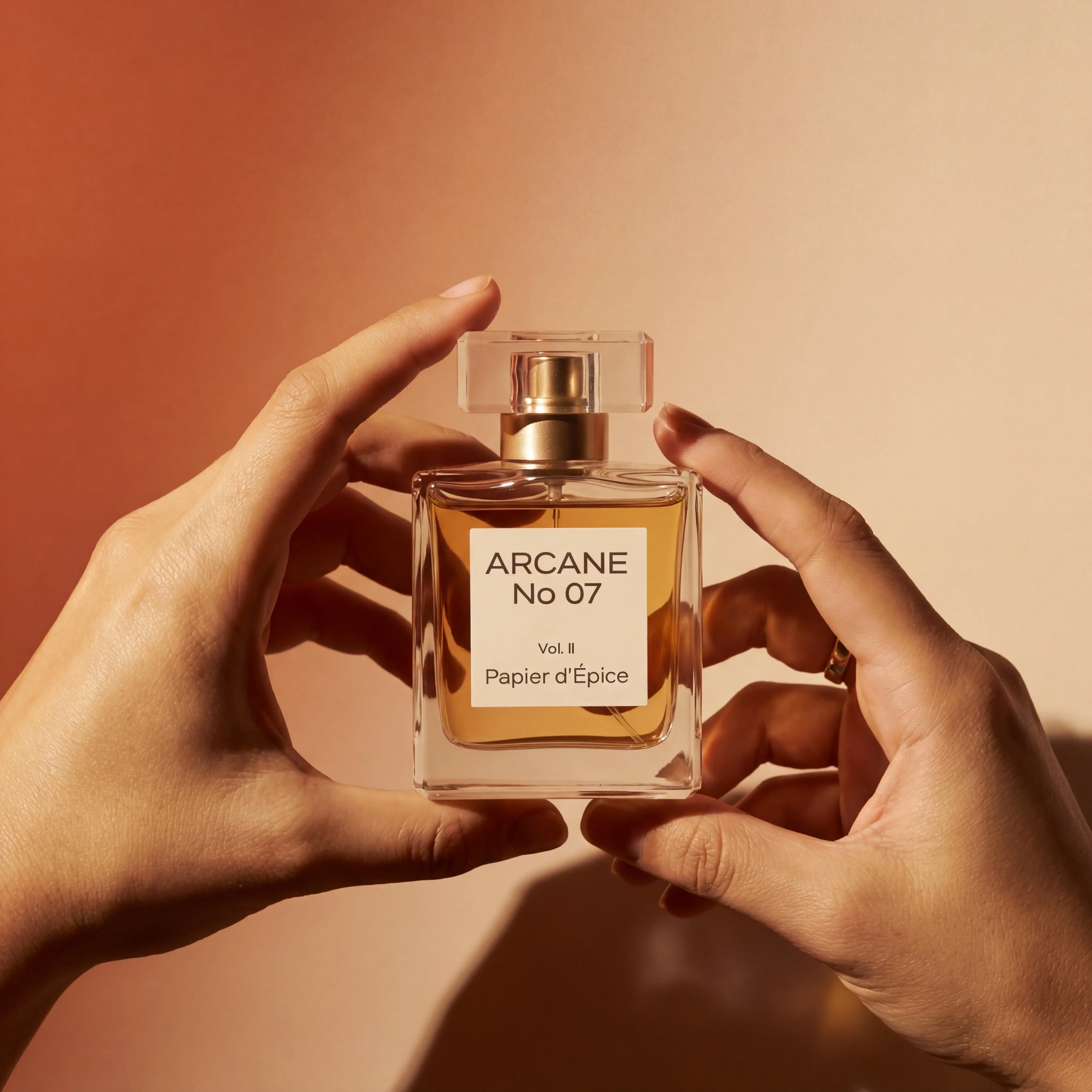
Fragrance bottle held in hand to communicate scale and premium handling.
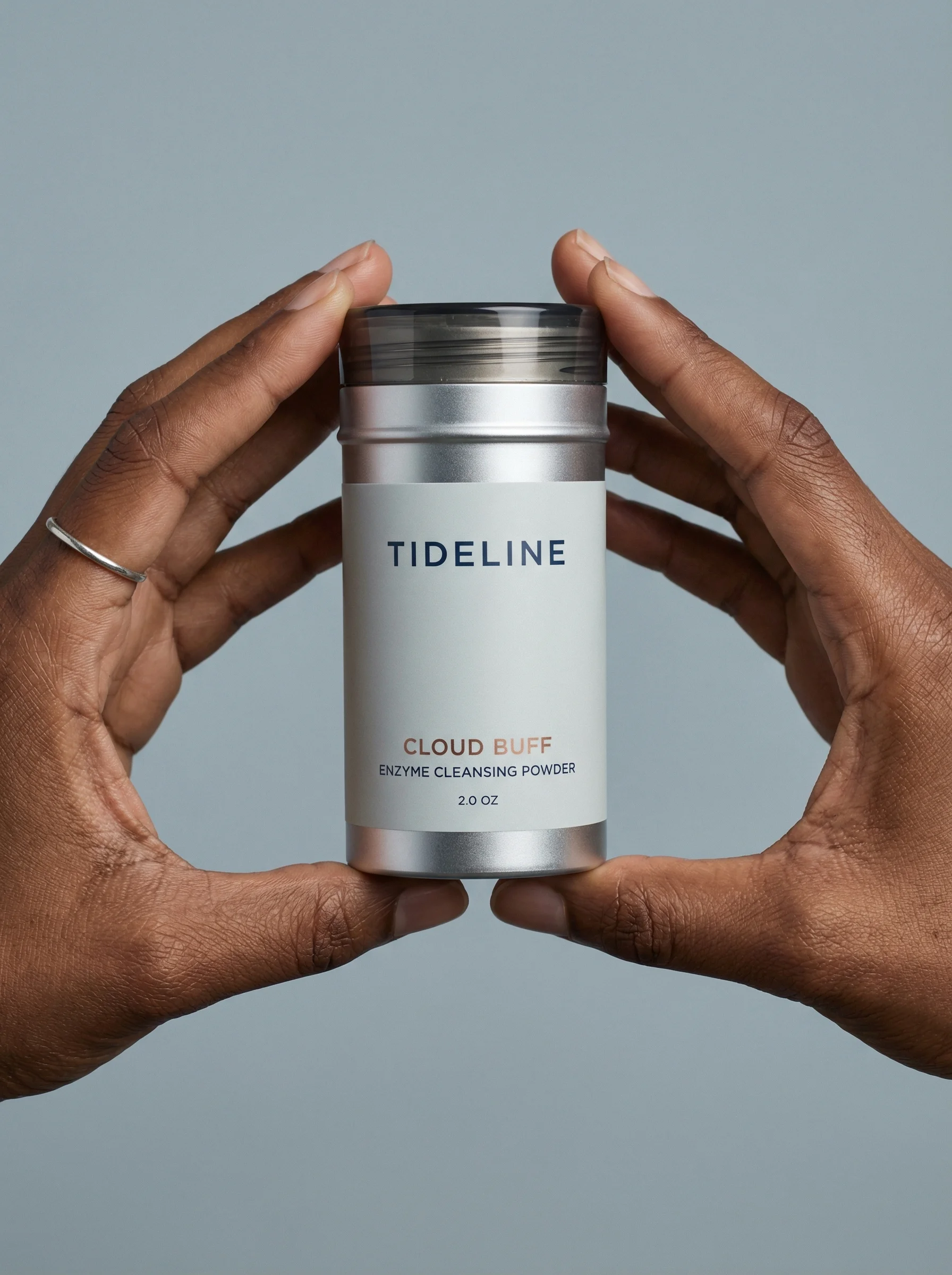
A product can look abstract on white, especially when it is small, handheld, refillable, applied directly, or sold in flexible packaging. Product-in-hand photography adds a human reference point while keeping the focus tight.
The hand should make the product easier to understand. If the pose, nails, jewelry, sleeve, or background becomes the main story, the image is doing too much.
If the goal is broader use context, use lifestyle product photography. If the goal is a creator-style ad frame, compare this with UGC-style product photography. Product-in-hand is the tighter scale-and-handling format.
What product-in-hand photography is for
Choose the right approach
In-hand image strategy matrix
Use product-in-hand shots when human scale or handling changes how shoppers judge the product.
| Use case | What to show | Why it matters |
|---|---|---|
| Scale | Bottle, pouch, jar, device, tube, stick, or accessory held near camera. | Gives shoppers an immediate size reference. |
| Handling | Grip, squeeze, open cap, twist mechanism, pour angle, carry position, or application gesture. | Explains how the product is used or controlled. |
| Presentation | Label-facing hold, two-handed display, palm support, or product lifted from below. | Creates a clean ecommerce-friendly image with human warmth. |
| Routine | Product in hand near a sink, vanity, kitchen, gym bag, desk, car, or outdoor setting. | Connects the item to a practical customer moment. |
Visual playbook
Visual playbook
Product-in-hand formats
Choose the hand interaction before the scene. The gesture should explain scale, use, or product value in one glance.
Clean presentation hold
A simple hand position presents the product like a product page image with warmer context.
Use when: Use for beauty, fragrance, supplements, drink cans, snacks, and products with strong label design.
Prompt cue
Product-in-hand photography, clean presentation hold, product label facing camera, accurate scale, minimal background, soft studio light, hand styling natural.
Bold social crop
Use strong background color and a close crop to make the product feel immediate for paid social.
Use when: Use for beverage, snack, beauty, wellness, and launch creative that needs fast recognition.
Prompt cue
Product-in-hand ad-style shot, hand holding can toward camera, bold solid background, label sharp and accurate, product remains the focal point, vertical crop.
Functional hold
Show how the product is gripped, opened, squeezed, poured, or applied.
Use when: Use for tubes, pumps, jars, applicators, tools, cleaning products, and flexible packaging.
Prompt cue
In-hand product photo showing practical grip, label readable, product proportions accurate, clean studio background, natural hand pose, no distracting accessories.
Packaged snack or pouch hold
Hold the product close enough to show flexible pack shape, size, and front-of-pack information.
Use when: Use for snacks, refills, pet products, coffee, tea, supplements, and resealable pouches.
Prompt cue
Product-in-hand shot of flexible pouch held toward camera, front packaging clear, realistic grip, accurate pouch shape, simple background, ecommerce PDP crop.
Styling hands without distraction
Hands are context, not the product. Keep styling clean and category-appropriate. For premium products, use controlled nails, sleeves, and posture. For everyday products, a more natural hand can feel credible. Avoid overly dramatic gestures unless the image is meant for campaign use.
Hand-pose rejection notes
Reject the image if fingers cover the variant name, if the hand makes the product look larger or smaller than it is, if skin retouching becomes distracting, or if the crop creates an awkward partial hand that draws attention away from the SKU. For products with regulated or claim-sensitive packaging, a beautiful hold is still a fail if the visible wording is wrong.
The best in-hand shots look almost obvious: the grip is natural, the label is readable, the scale is believable, and the viewer understands why a hand was included.
Riverflow workflow
How this works in Riverflow
Product-in-hand images depend on the right gesture, product scale, and crop, so the workflow should separate scene choice from product-detail review.
Photoshoots
Choose a hand or body-crop scene
Use a Scene from Riverflow's extensive brand-safe library for common holding, presenting, carrying, and routine setups, or bring an owned Scene from a previous photoshoot when the hand styling and background are already approved. Photoshoots adapts that scene to the product, and Styles keep hand treatment, lighting, and polish consistent.
Images
Test the interaction
Use Images with Riverflow 2.0 Pro, Google's Nano Banana 2, or OpenAI GPT-Image-2 to explore different hand positions, product orientations, backgrounds, and image-to-image references before choosing the clearest scale cue.
Editing
Protect scale and packaging
Generate 9 angle variants to find the most legible hold, change aspect ratio for PDP and paid social crops, fix label or artwork details with Riverflow 2.0 Reference-Based Super Resolution, or Swap product when the pose works for another SKU.
Before you publish
Product-in-hand photography checklist
- Define whether the hand is showing scale, use, grip, presentation, or routine.
- Keep product label, color, shape, and closure accurate.
- Use natural hand positions that do not cover key packaging information.
- Check that jewelry, sleeves, nails, and skin tone styling fit the brand direction.
- Review product size against the hand so it does not look distorted.
- Create at least one clean crop that works in a PDP carousel.
Riverflow prompt recipe
Create it in Riverflow
Prompt a product-in-hand shot in Riverflow
Use this structure to turn the strategy into a specific creative brief that keeps the product accurate and the scene useful.
- 1
Interaction
Specify holding, presenting, opening, squeezing, pouring, applying, carrying, or lifting the product.
- 2
Hand styling
Define natural hand, manicured hand, partial hand, two hands, sleeve visible, no jewelry, or category-specific styling.
- 3
Scene source
Use a library Scene, owned custom Scene, or image reference when the hand pose, background, or crop already matches the intended production style.
- 4
Product view
State exactly which packaging face, label, cap, applicator, or product detail must remain visible.
- 5
Background
Choose clean studio, bathroom, kitchen, outdoor, desk, shelf, or solid-color background based on the product story.
- 6
Scale
Ask Riverflow to preserve realistic product size relative to the hand and avoid stretched packaging.
Example prompt
Mistakes to avoid
Covering the logo, claim, or variant name with fingers.
Specify label-facing orientation and a grip that leaves key information visible.
Making the hand pose feel forced.
Use a practical gesture based on how the product is actually handled.
Letting hand styling dominate the frame.
Keep nails, jewelry, sleeves, and props quiet unless they are part of the brand direction.
Changing product scale to make the crop prettier.
Review the product against known dimensions and keep scale realistic.
FAQ
What products benefit most from product-in-hand photography?+
Small and mid-sized products benefit most: beauty, fragrance, supplements, snacks, drinks, pouches, accessories, stationery, small home goods, tools, and handheld electronics.
Is product-in-hand photography the same as UGC?+
No. Product-in-hand images can be polished and studio-led. UGC-style images usually lean more casual, creator-led, and phone-native.
When should I avoid an in-hand shot?+
Avoid it when the product is too large, when the hand would hide essential information, or when a countertop, room, or on-body image would explain scale more honestly.
Where should in-hand images appear in an ecommerce carousel?+
Use them after the primary product-on-white image and before or after lifestyle images, depending on whether scale or use is the more important shopper question.
Start creating
Get started with on-brand visuals
Turn guide ideas into product-accurate creative in Riverflow, using your brand, products, scenes, styles, and channel crops from the start.
Your catalog into campaign-ready Creative
Riverflow connects your products, brand rules and creative workflows so your team can create on-brand photoshoots, ads, videos and edits across every campaign.