Guide
Product Launch Ad Ideas for Ecommerce Campaigns
A practical guide to product launch ad ideas for ecommerce marketers planning creative before, during, and after launch day.
- Guides
- Ad Creative

Examples
Scenes from the Riverflow library
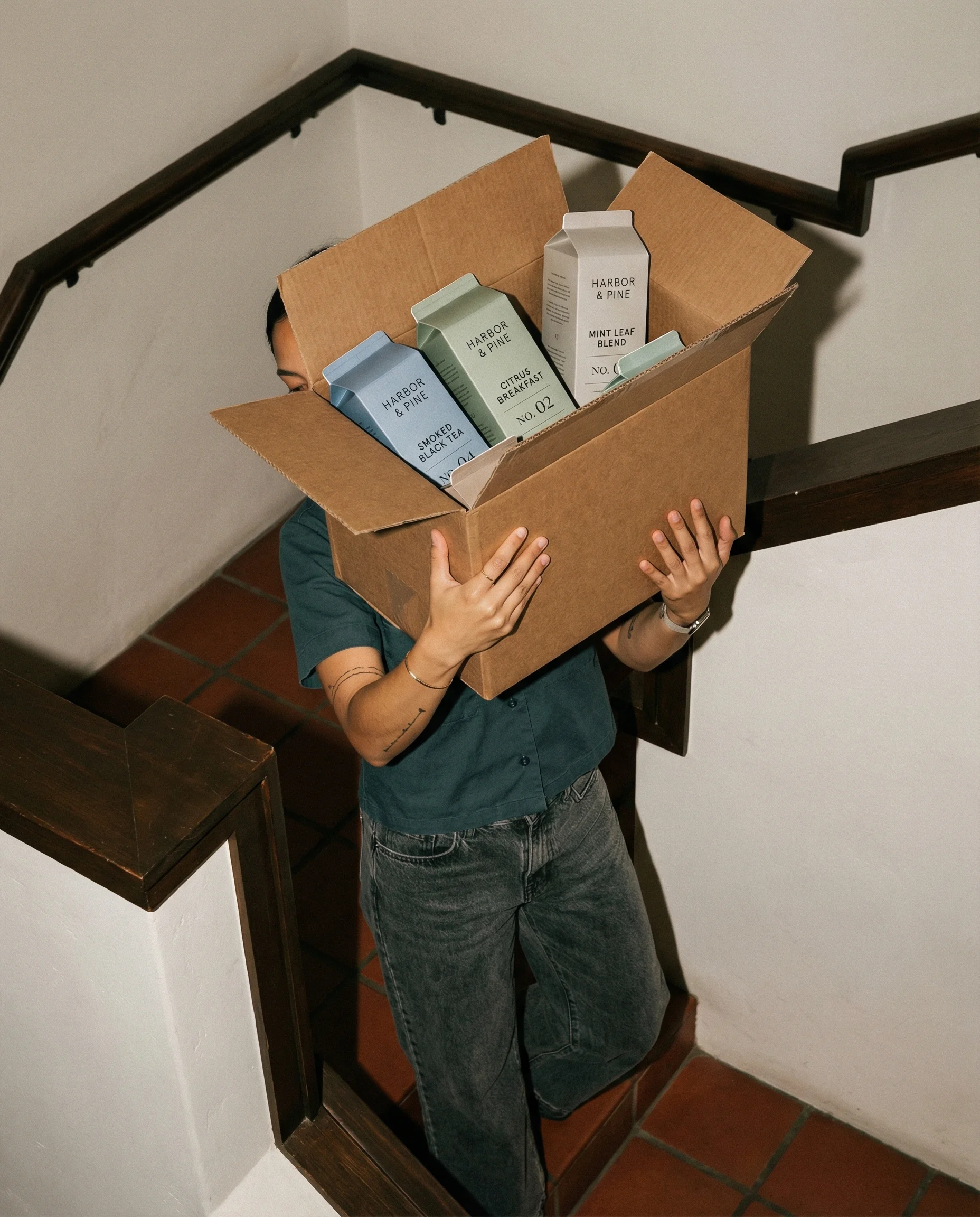
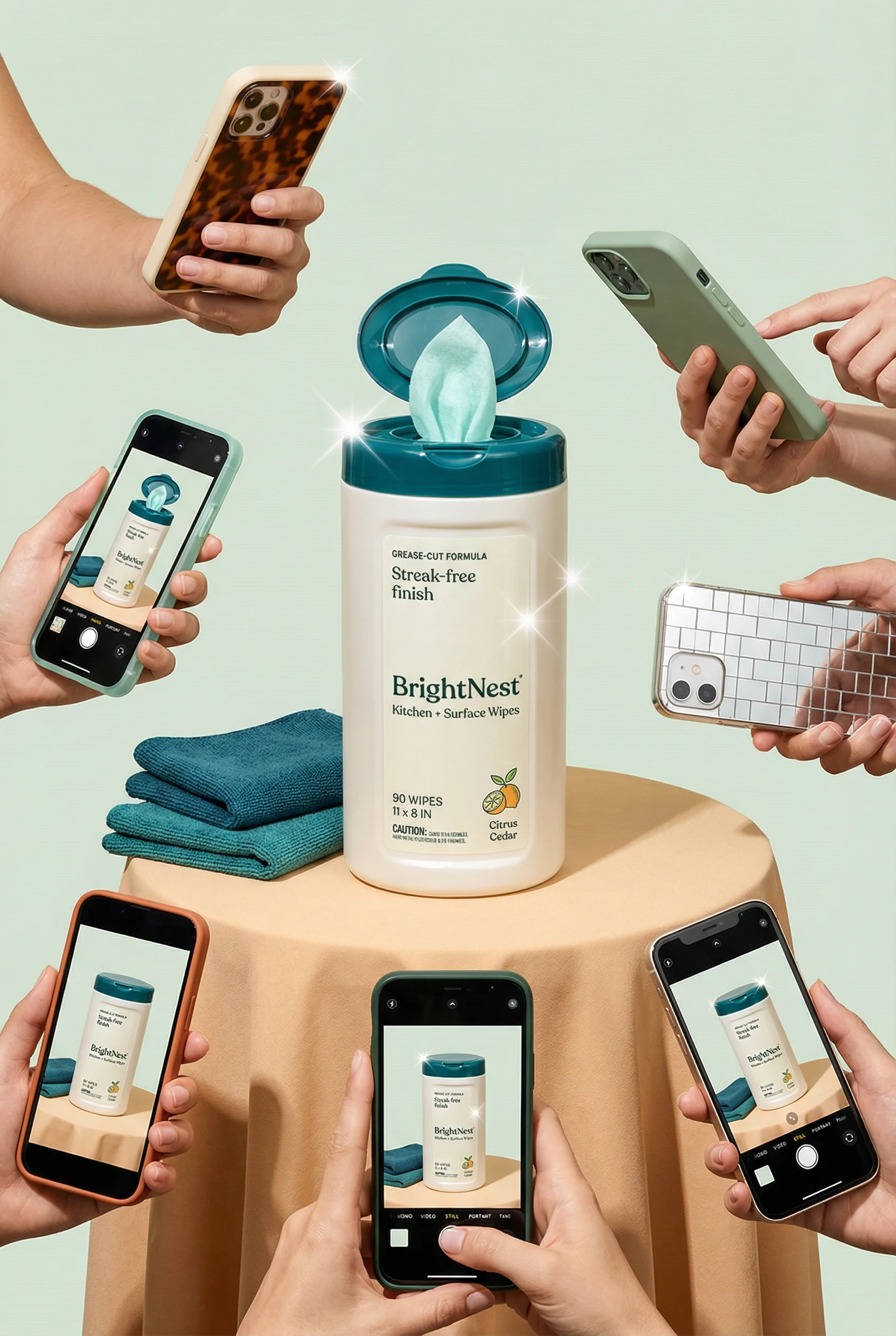
Shipment reveal moment for preorder, gifting, or first-drop concepts.
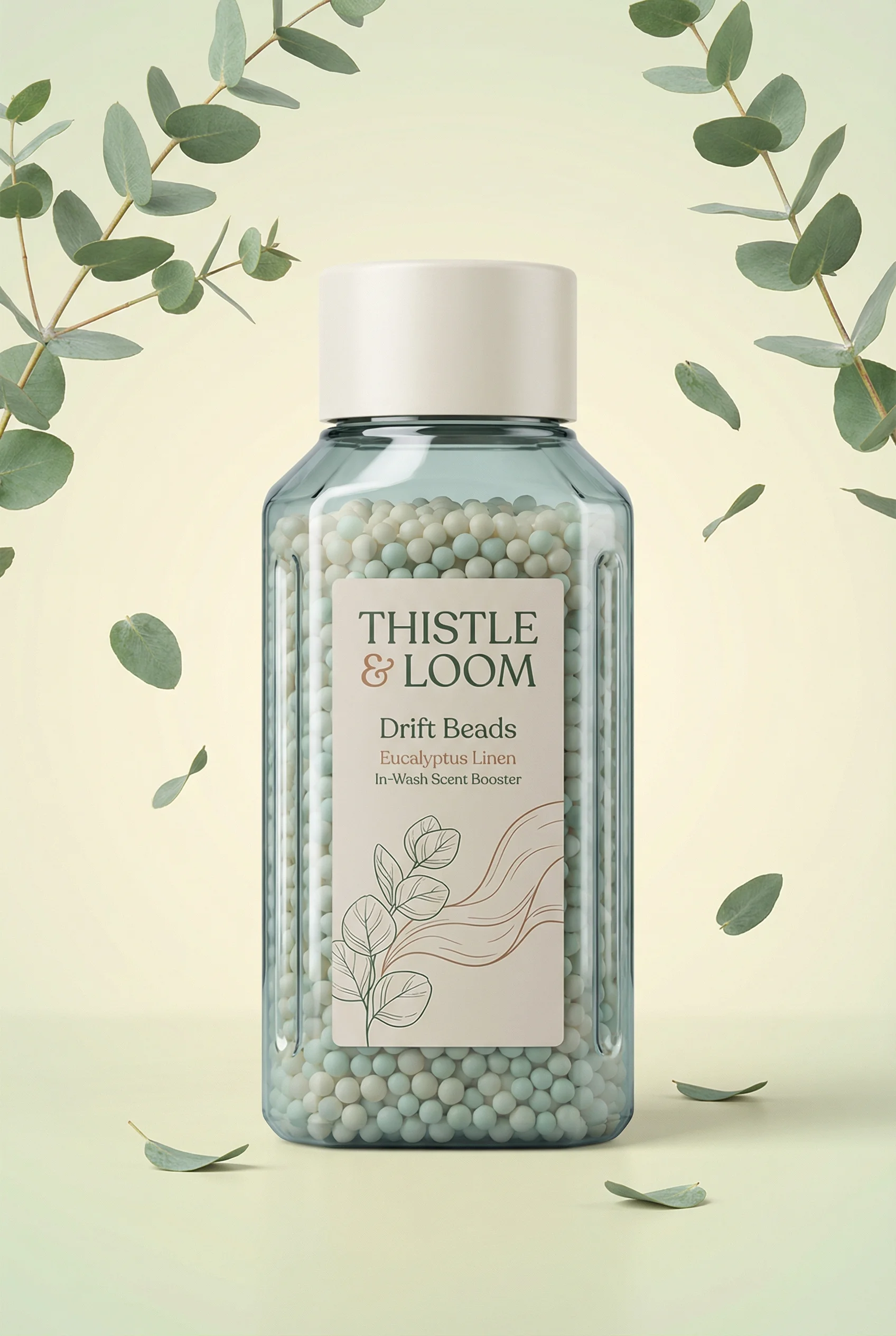
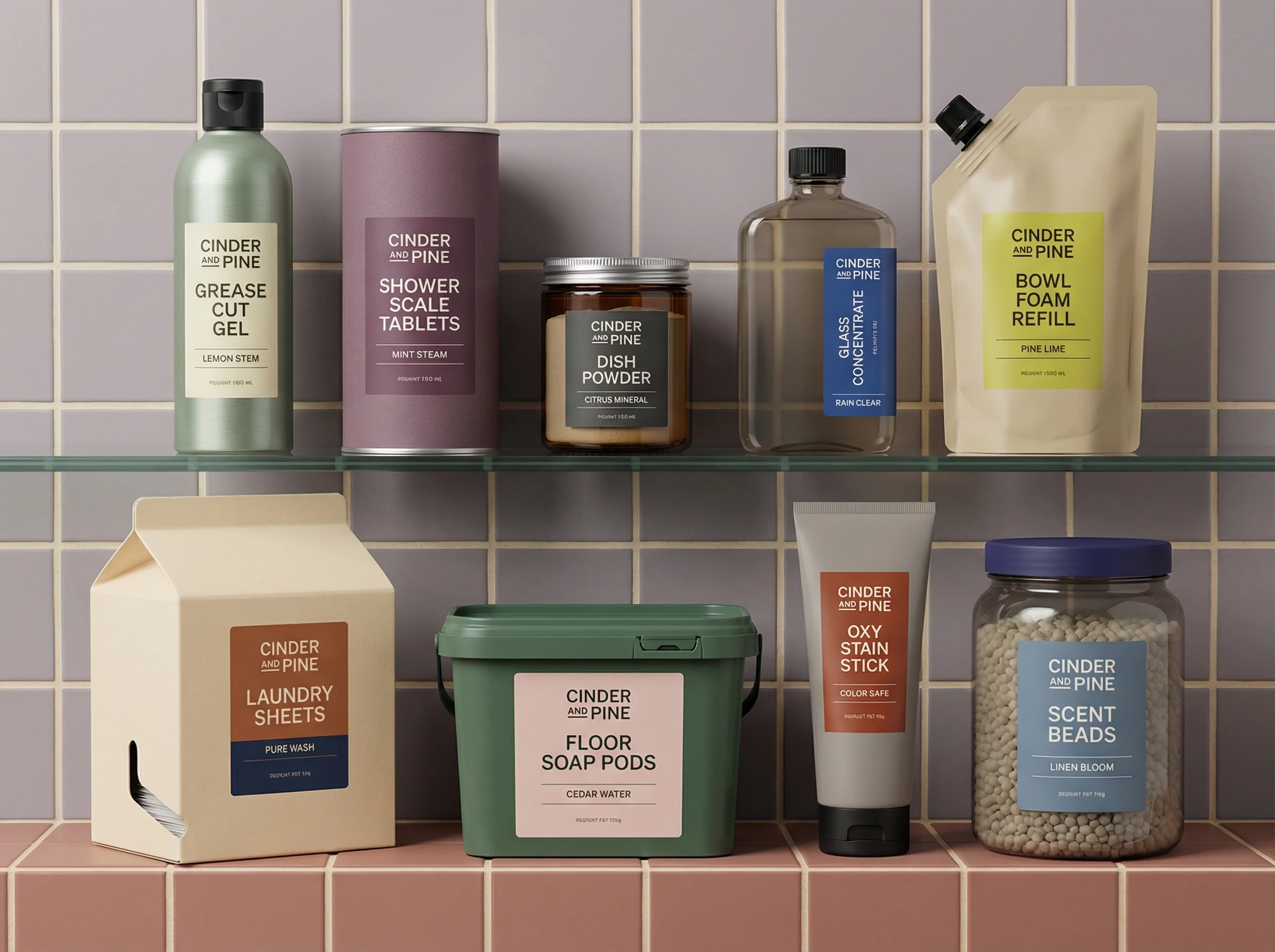
Centered hero shot with floating ingredients for a feature-led launch.
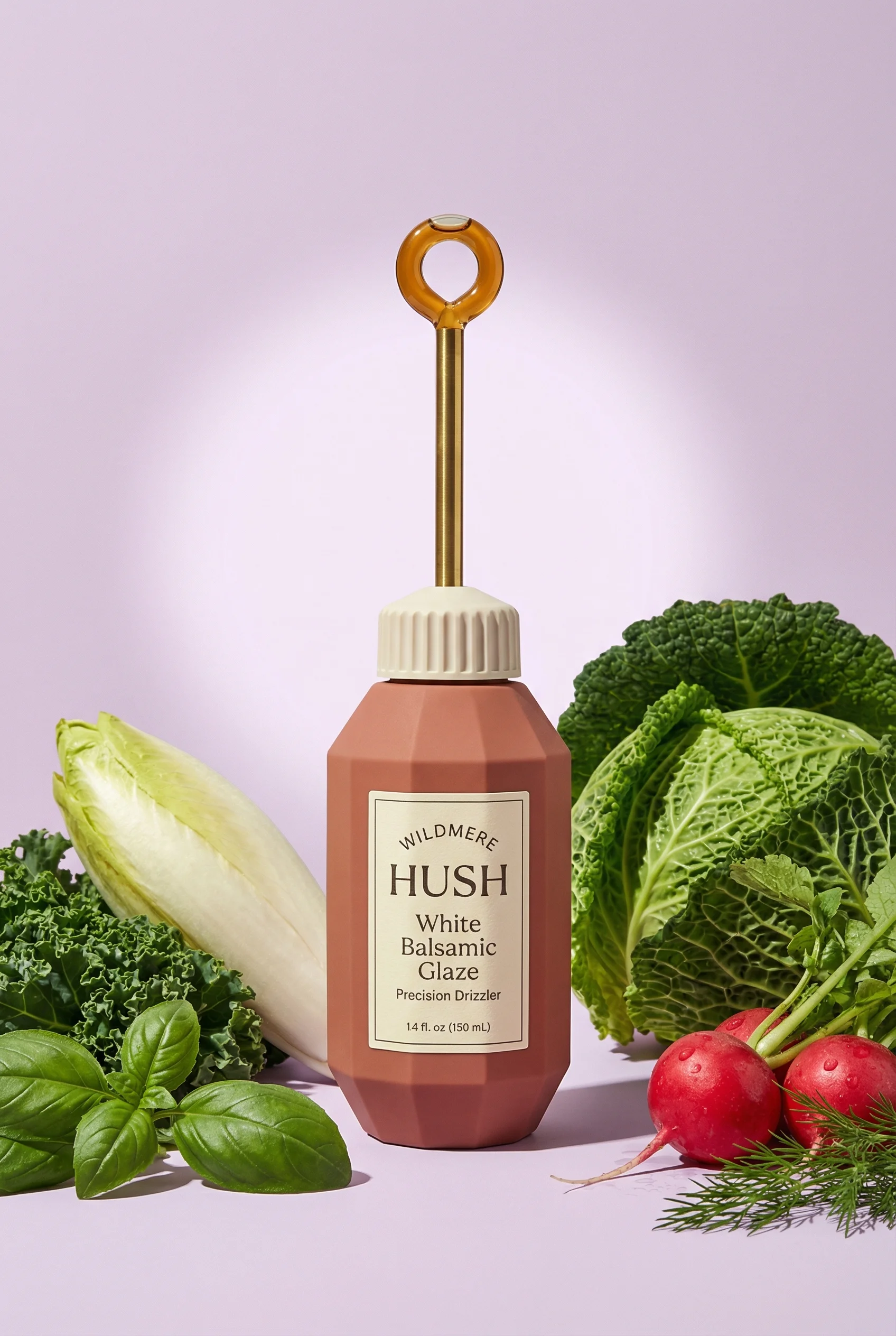
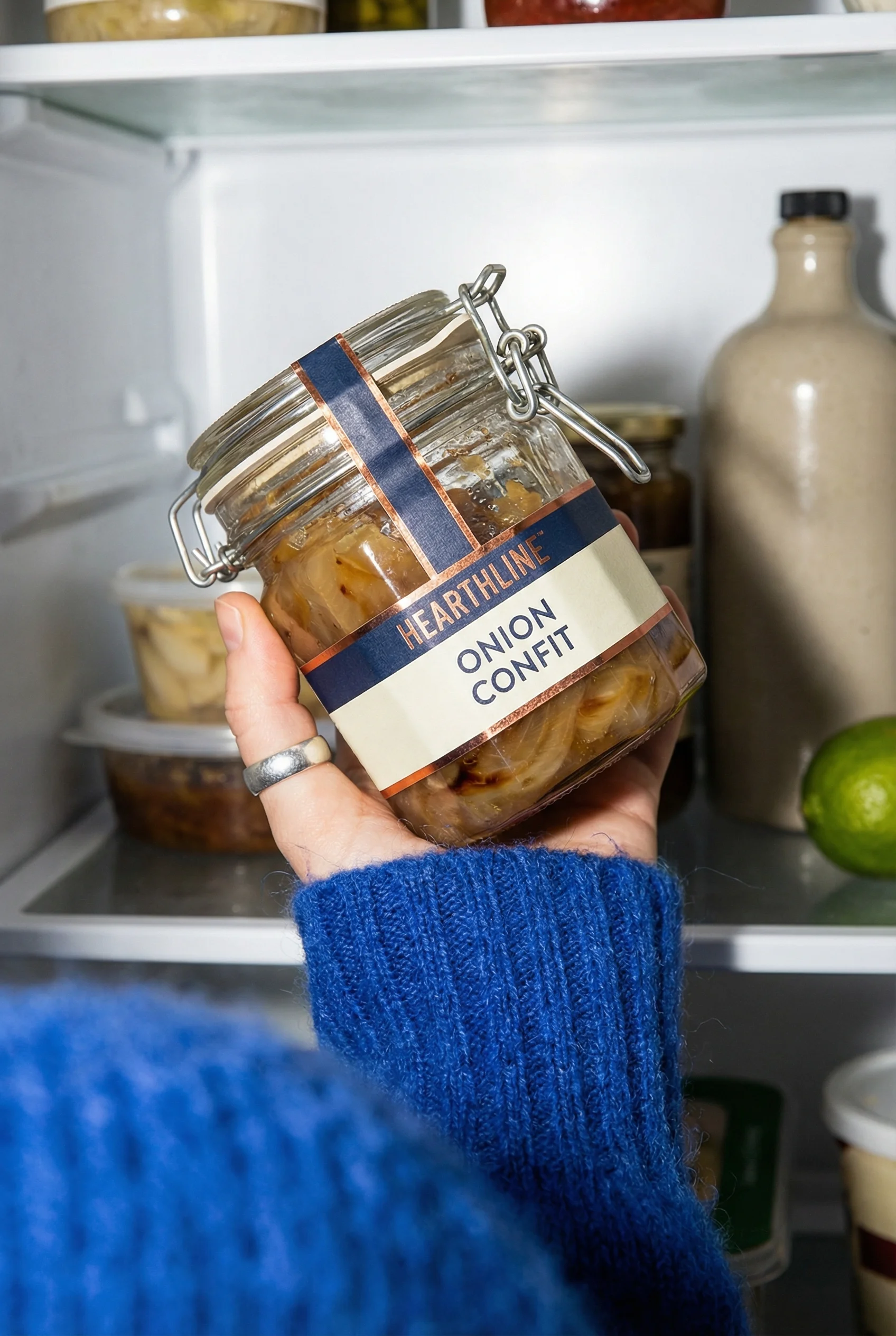
Premium hero bottle with props to suggest new flavor or range positioning.
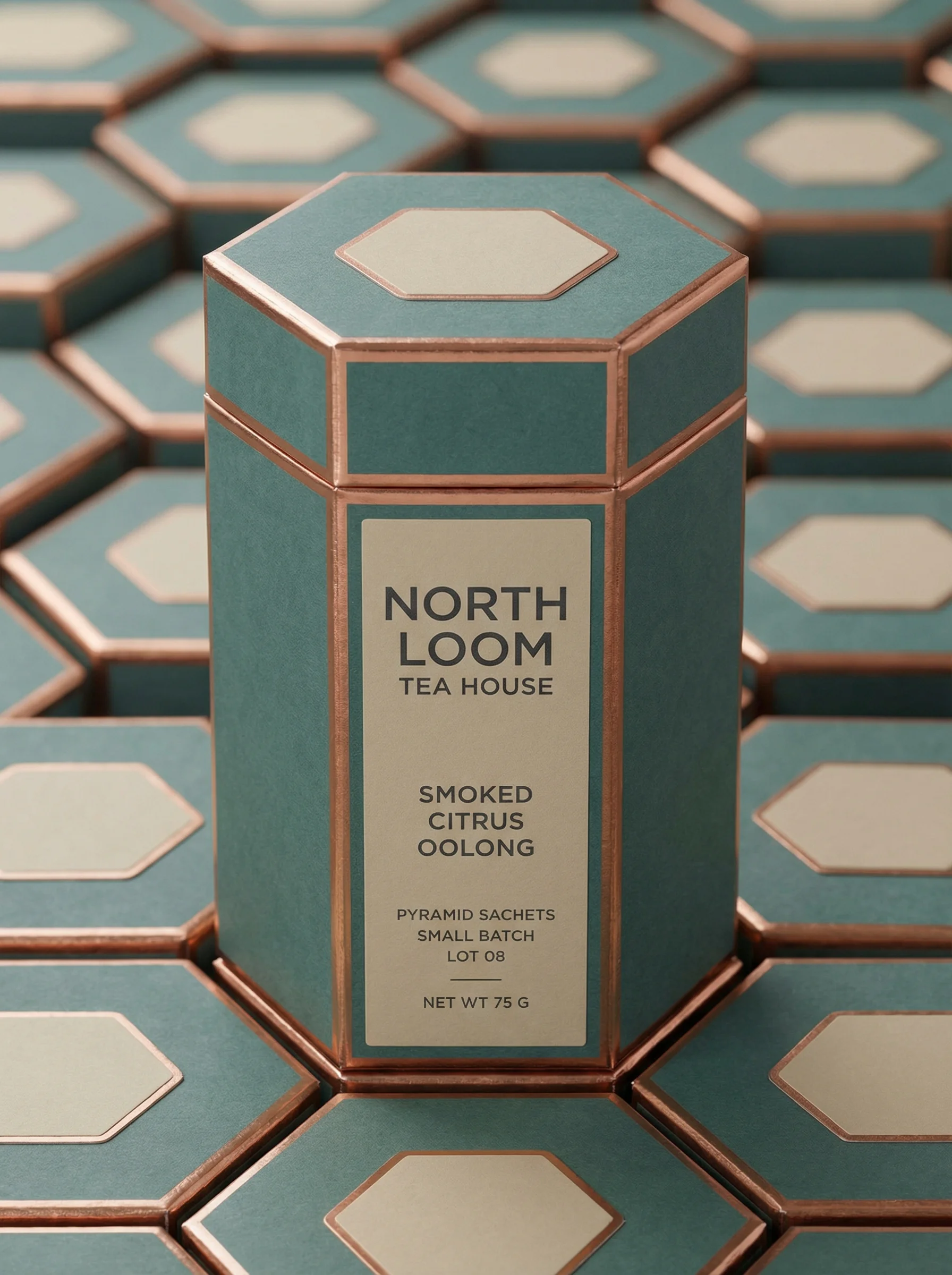
Premium reveal shot for announcing a new pack, flavor, or limited drop.
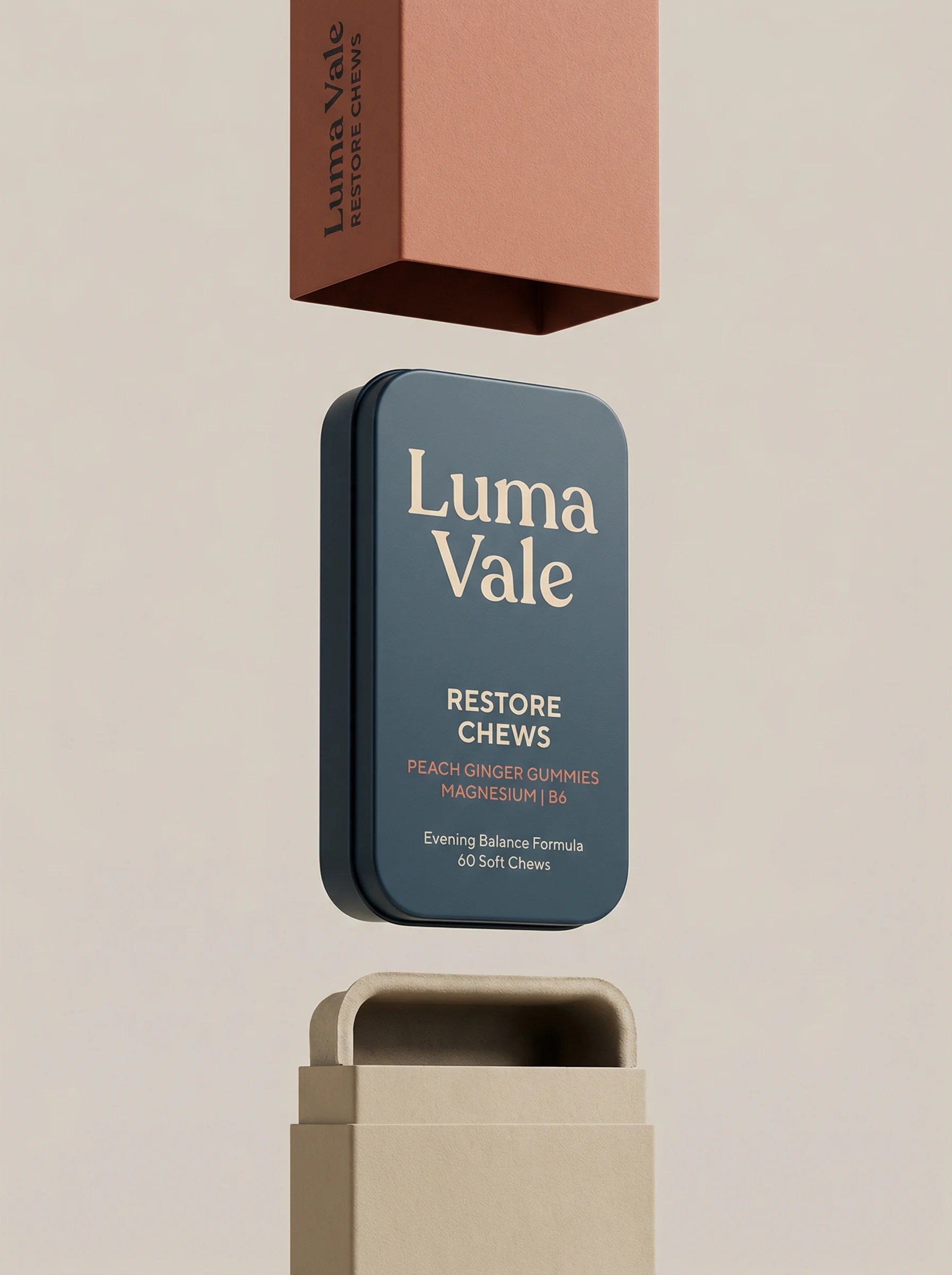
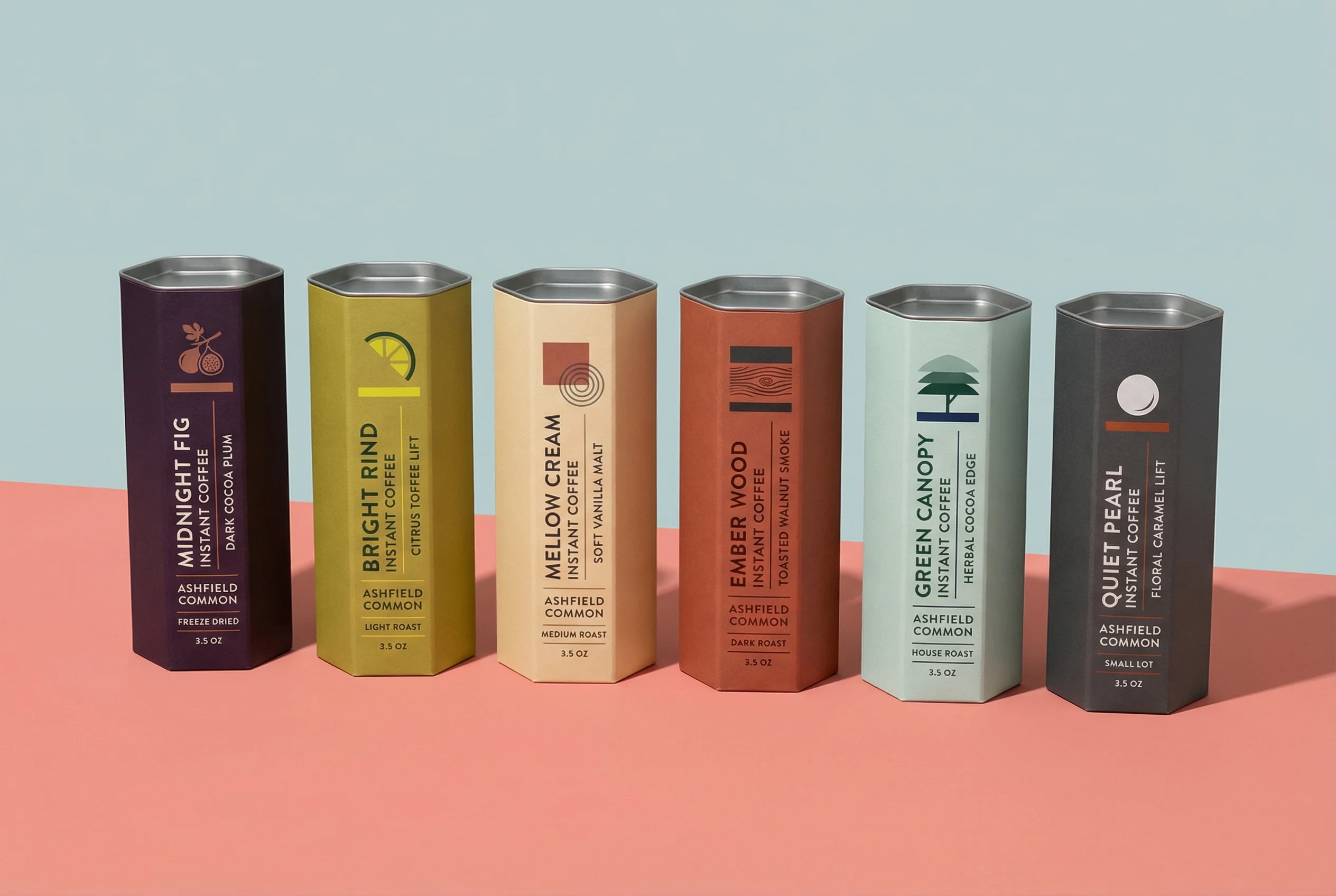
Launch-ready product hero with elevated motion cues and strong packaging focus.
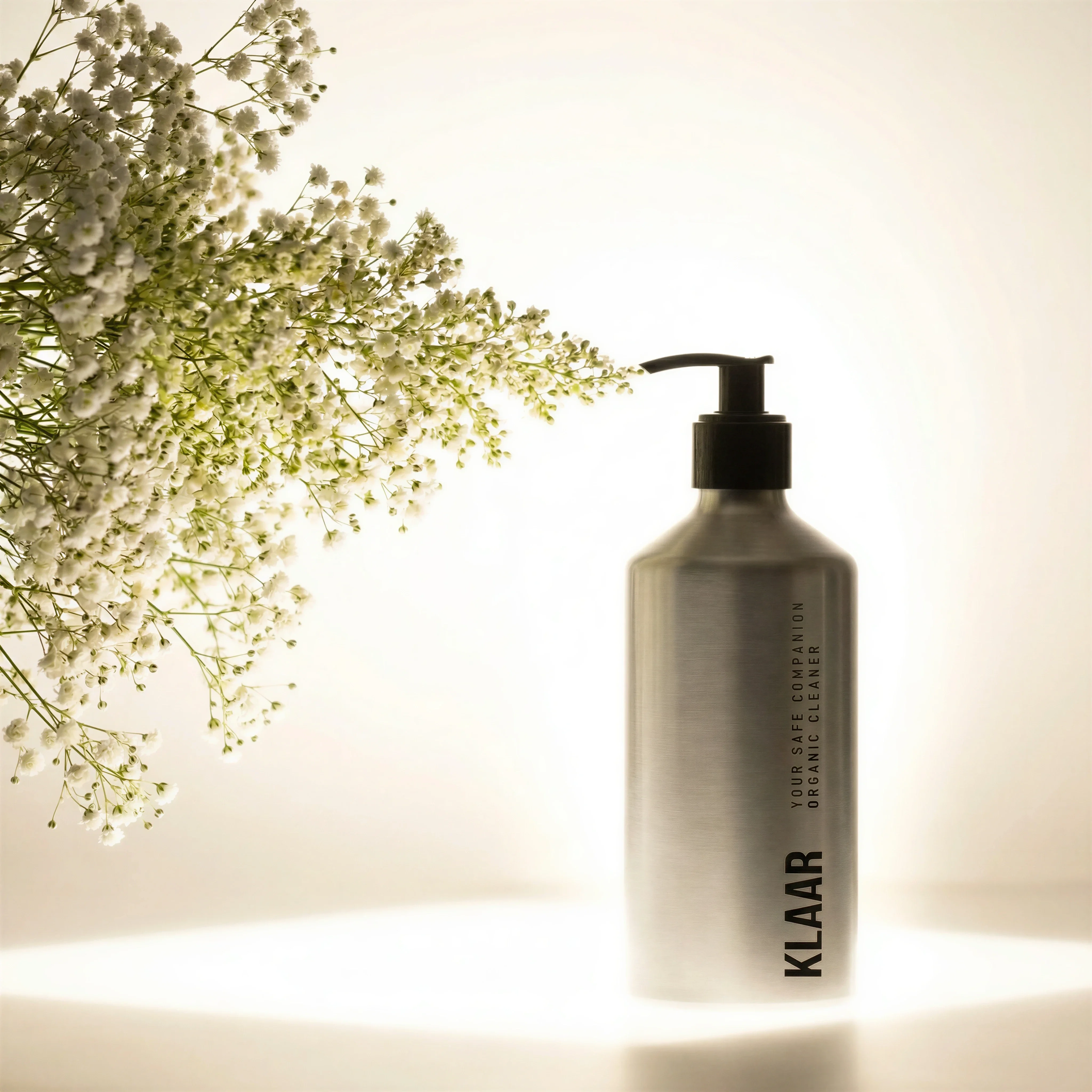
Feature-led studio image with ingredient-style props for post-launch education.
A product launch needs more than one announcement image. Shoppers need to understand what is new, why it exists, how it fits into their life, and why they should act now. That takes a creative system, not a single asset.
The strongest launch campaigns use stages: tease, reveal, educate, reassure, and extend. Each stage has a different job. The ideas below help ecommerce teams build launch creative that stays focused without becoming repetitive. If the launch will span paid social, use this alongside ecommerce ad creative examples, Meta ad creative examples, and TikTok product ad examples.
Riverflow fits launch work because the product truth changes less often than the creative needs. Photoshoots can place the new product into launch-ready Scenes, Styles can keep the sequence consistent, Images can generate or transform supporting assets, and Editing can adapt approved launch visuals as the channel plan evolves.
Plan the launch stages
Choose the right approach
Product launch ad matrix
Map each launch stage to the shopper question it needs to answer.
| Scenario | Creative job | Creative note |
|---|---|---|
| Teaser | Create curiosity before the full reveal. | Use a product detail, silhouette, texture, date, or category cue without becoming vague brand filler. |
| Reveal | Explain what is new, who it is for, and the main benefit. | Keep the layout direct: product name, hero visual, one core benefit, and a clear CTA. |
| Feature education | Break the product into understandable reasons to care. | Use one feature per asset so the ad does not become a compressed product detail page. |
| Use case | Show where the new product belongs in the shopper's life. | Create different scenes for different motivations while keeping the same product truth. |
| Offer | Make launch discounts, gifts, bundles, waitlists, or limited drops clear. | Use plain language and avoid urgency claims that are not true. |
| Post-launch reassurance | Answer objections after initial attention fades. | Use reviews, FAQs, comparisons, founder context, or bundle logic when approved. |
Before and after launch decisions
A launch calendar should change because the market gives you information, not because the team is tired of the original plan. Decide in advance which signals will move creative from teaser to reveal, from reveal to education, and from education to reassurance.
Choose the right approach
Launch decision notes
Use this as the operating layer behind the shot list.
| Moment | Decision to make | Creative response |
|---|---|---|
| Before teaser goes live | Does the audience already know enough to care about a partial reveal? | If not, skip vague countdown assets and lead with product category, problem, or founder context. |
| Reveal day | Can a cold shopper explain what is new in three seconds? | Prioritize hero product, product name, main benefit, launch availability, and one CTA. |
| First 48 hours | Are clicks coming from curiosity or qualified intent? | If engagement is high but checkout is weak, add feature education, price clarity, bundle explanation, or product scale assets. |
| Week one | Which objection is showing up in comments, support, search, or product page behavior? | Turn that objection into retargeting creative instead of making another generic launch graphic. |
| Post-launch | Is the campaign still about newness, or does it need evergreen proof? | Move from launch language into routine, review, comparison, and replenishment creative. |
Product launch ad ideas
Visual playbook
Launch-ready visual concepts
Use these examples as a modular shot list for pre-launch, launch day, and post-launch campaigns.
Shipment or first-drop reveal
Mini-brief: make availability feel real. The asset should answer whether the product is live, preorder, waitlist-only, limited, or shipping now.
Use when: Use for preorder, waitlist, first shipment, gifting, subscription, and limited-drop messaging.
Prompt cue
Create a product launch reveal ad showing the first shipment moment, with packaging accurate, the product visible, one launch-date line, and a clear CTA. Keep the shipment Scene constant while testing preorder, waitlist, and first-drop language.
Feature-led hero
Mini-brief: prove why the product exists. One feature, ingredient, material, scent, or formula change should be impossible to miss.
Use when: Use when a new formula, scent, ingredient, material, or product benefit is the main launch story.
Prompt cue
Create a feature-led launch ad for laundry beads with the pack centered, eucalyptus cues around it, accurate label detail, and one benefit headline. Reject versions that add unsupported ingredient or performance claims.
Premium reveal still life
Mini-brief: frame the new product as a considered addition to the range. Props should signal taste, occasion, or category fit without crowding the launch message.
Use when: Use for premium food, beverage, beauty, home, and giftable products.
Prompt cue
Create a premium product launch still life with the bottle as the focal point, subtle ingredient props, and a short new-flavor headline. Hold product scale and headline constant while testing prop density.
Limited pack or range announcement
Mini-brief: make the packaging or range change the story. The viewer should know whether this is limited edition, seasonal, premium, or a permanent extension.
Use when: Use for limited editions, seasonal cartons, gift boxes, and premium range expansions.
Prompt cue
Create a launch announcement ad for a luxury tea carton with the pack large, premium lighting, no clutter, and one clear launch CTA. Preserve exact carton artwork and do not invent edition language.
Post-launch education asset
Mini-brief: shift from news to reason-to-believe. Use this when the launch has attention but the shopper needs detail, proof, or routine context.
Use when: Use for follow-up ads, email modules, product page support, and retargeting sequences.
Prompt cue
Create a post-launch education ad with the product in a minimal studio scene, one feature callout, accurate packaging, and a soft brand background. Generate separate versions for ingredient, routine, and objection-led education.
Build the creative set
A launch system should include a few controlled assets for each phase rather than a large batch of unrelated images. If a concept is important enough to run across multiple channels, prepare square, portrait feed, and full-screen vertical crops before launch day.
Use feature education after the product is public. For example, a skincare product can explain texture, ingredient role, and routine step; a travel accessory can show compartments and scale; a food product can show flavor, serving occasion, and pack size.
Choose the right approach
Launch testing controls
Keep each stage measurable by deciding what the team is trying to learn.
| Stage | Test | Hold constant |
|---|---|---|
| Teaser | Category cue, product detail, date, founder note, or waitlist promise. | Audience, brand context, destination, and CTA. |
| Reveal | Hero benefit, product name emphasis, launch CTA, or product-in-use context. | Final packaging, availability, price, landing page, and offer. |
| Feature education | Ingredient, formula, material, size, bundle, or routine feature. | Product source, claim approval, visual Style, and audience segment. |
| Use case | Occasion, routine, user type, gifting, replenishment, or seasonality. | SKU, main claim, price, and product page destination. |
| Retargeting | Review proof, FAQ, comparison, guarantee, shipping, or bundle value. | Product viewed, offer rules, claim approval, and landing page match. |
If the launch asset becomes the visual source for PDP, email, and ads, review it against production-ready AI creative before pushing variants into more channels.
Product launch ad checklist
Before you publish
Launch asset checklist
- One clear hero reveal asset is ready before launch day.
- Two to four teaser or countdown assets are prepared if the audience has enough context.
- Three feature education variants explain one product reason each.
- Three use-case or lifestyle variants show different shopper motivations.
- One offer asset exists for each promotion, bundle, waitlist, or gift mechanic.
- Square, portrait feed, and vertical crops are prepared for key channels.
- Retargeting assets are ready for product page visitors and launch-day clickers.
- Packaging, labels, textures, proportions, and included items are reviewed against the final product.
Riverflow prompt recipe
Riverflow workflow
How this works in Riverflow
Build the launch as a staged creative system instead of a folder of unrelated announcements.
Photoshoots
Stage the launch sequence with Scenes
Use brand-safe Scenes from Riverflow's library or bring Scenes from your own launch shoot, then adapt them to the new product. Apply Styles so teaser, reveal, education, and retargeting assets stay connected.
Images
Create supporting launch directions
Use Riverflow 2.0 Pro, Google's Nano Banana 2, and OpenAI GPT-Image-2 for text-to-image and image-to-image exploration when you need teaser details, reveal still lifes, or post-launch education assets.
Editing
Keep launch assets current
Generate 9 angle variants, change aspect ratio while preserving a natural center point, use Riverflow 2.0 Reference-Based Super Resolution to update final packaging or artwork in place without changing the rest of the image, and swap products when a launch scene needs another SKU.
Create it in Riverflow
Build a product launch ad system in Riverflow
Use this structure to turn the strategy into a specific creative brief that keeps the product accurate and the scene useful.
- 1
Stage
Choose the launch stage for the batch: teaser, reveal, feature education, use case, offer, or reassurance.
- 2
Product truth
Use final approved product imagery, packaging, label text, variant, and launch landing page as the source of truth. If packaging is still changing, reserve time for product-detail review.
- 3
Message
Write one job for the asset: announce, explain, prove, show use, clarify offer, or answer an objection. Select a Scene and Style that support that job.
- 4
Output
Generate channel-ready crops, angle variants, and post-launch adaptations while keeping the same brand system across the sequence.
Example prompt
Mistakes to avoid
Starting creative production after the messaging, landing page, and channel plan are already locked.
Brief product imagery, brand rules, messaging, landing page copy, and channel crops together.
Making the launch all about novelty.
Use newness as the opening, then explain what the product changes for the shopper.
Crowding reveal creative with every feature.
Let the reveal asset do the announcement job and move feature education into follow-up ads.
Letting generated launch visuals invent product details.
Review final assets closely because launch images often become the source of truth across channels.
Operator FAQ
What launch creative should be ready before launch day?+
Have the reveal hero, key channel crops, first feature-education batch, one offer asset per mechanic, and retargeting reassurance assets ready before launch day. Teasers are optional; the reveal system is not.
When should we stop teaser creative and reveal the product?+
Move to reveal when the audience cannot identify the category, when waitlist intent is low quality, or when the media plan needs cold audiences. Vague curiosity is not enough for most ecommerce launches.
How should we decide the first post-launch creative batch?+
Use the first 48 hours of comments, support questions, product page behavior, and ad metrics. Turn the most repeated hesitation into feature, proof, comparison, or FAQ creative.
Start creating
Get started with on-brand visuals
Turn guide ideas into product-accurate creative in Riverflow, using your brand, products, scenes, styles, and channel crops from the start.
Your catalog into campaign-ready Creative
Riverflow connects your products, brand rules and creative workflows so your team can create on-brand photoshoots, ads, videos and edits across every campaign.