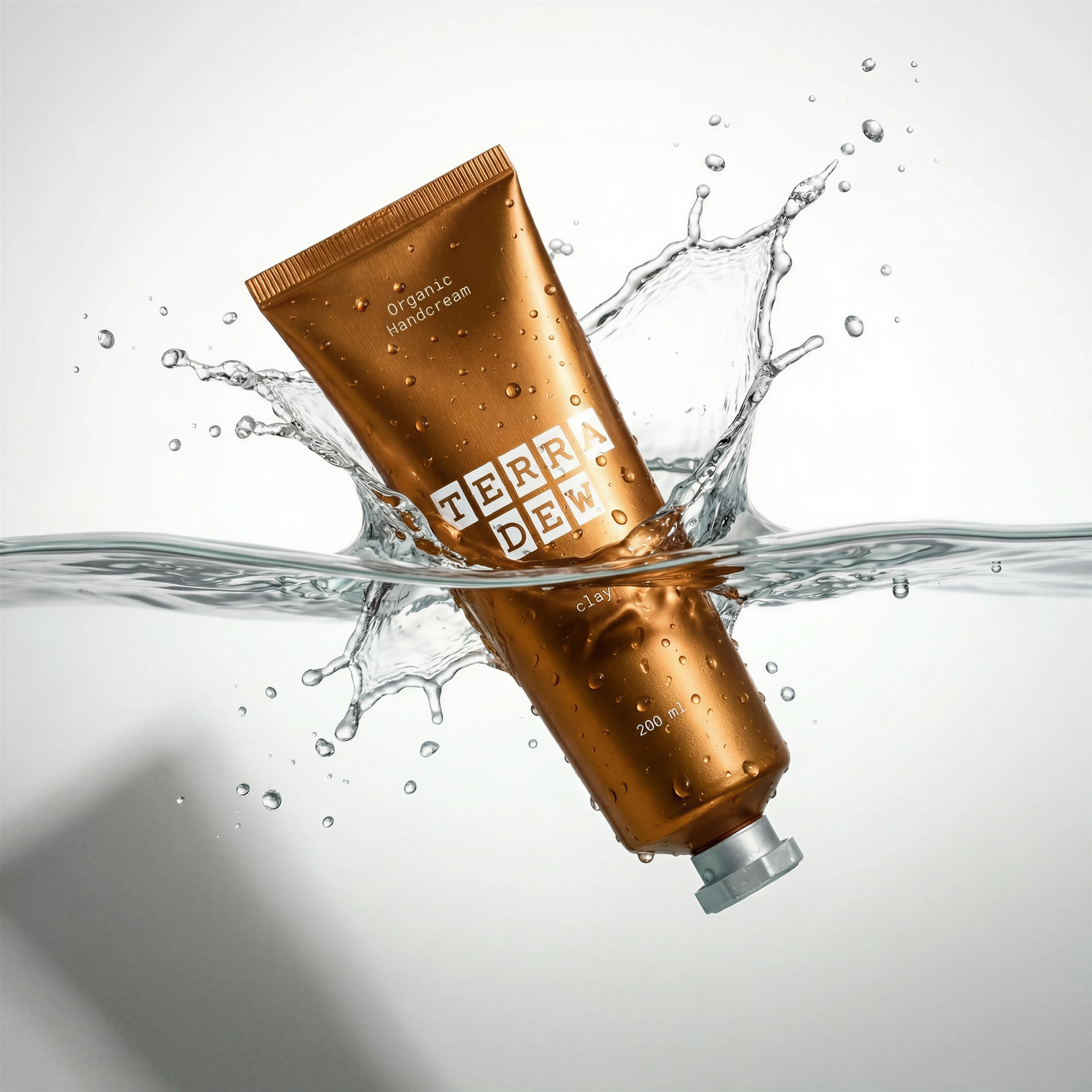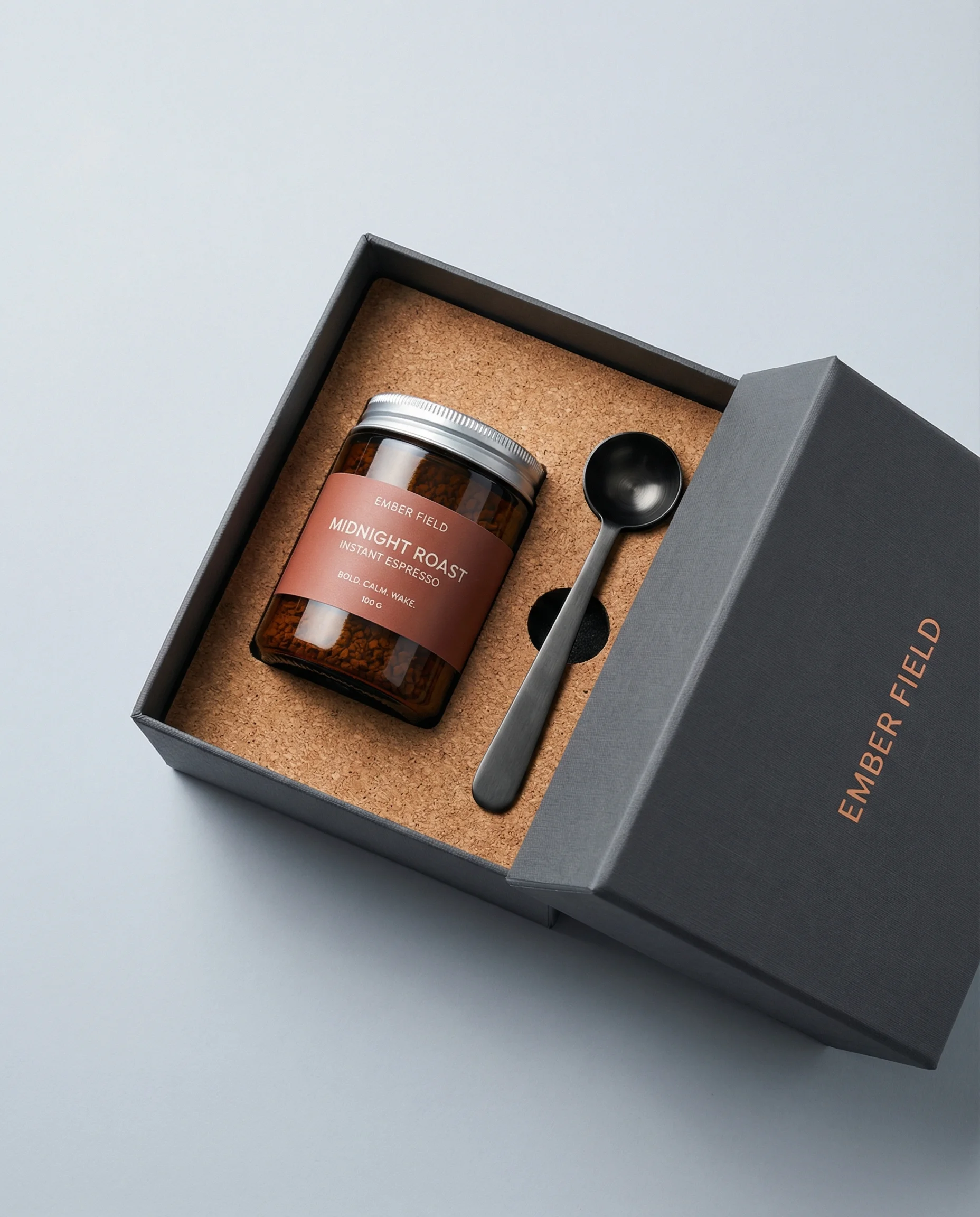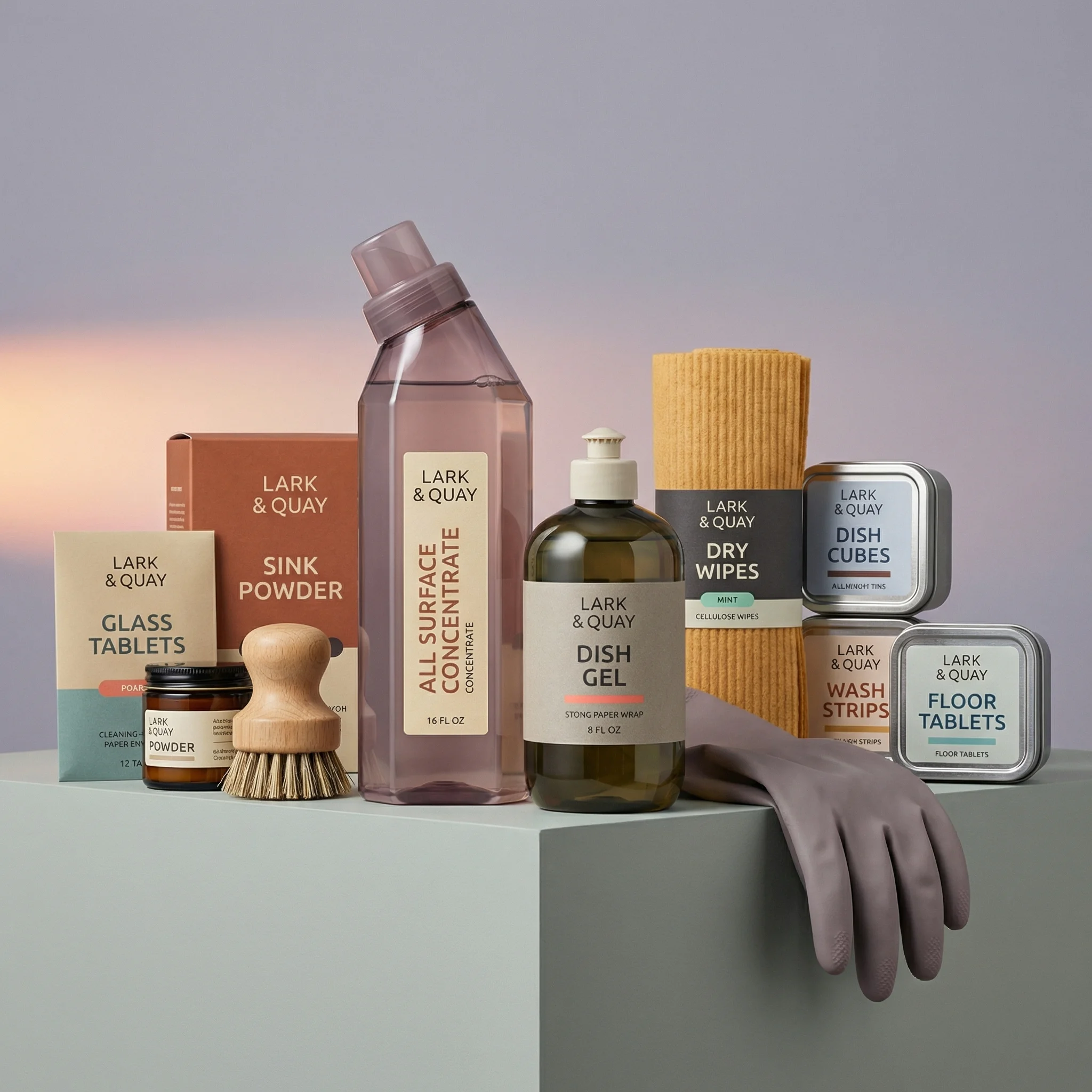
Scenes from the Riverflow library

The process
Product first, then image, then video
Create and lock the product sheet
Generate the still
Add motion
Product reference sheet
Frame 00: PIGMA product reference sheet
USE CASE: modern product catalog sheet for a paint brand, studio product render style, matching a contemporary DTC packaging-design reference — bold flat color-blocked cans with a diagonal brushstroke graphic, clean sans-serif wordmark. STYLE: contemporary minimal product design render, like a premium DTC paint brand's catalog hero shot. Soft 3D-product-photography look, matte-finish materials, clean and graphic, not painterly or artisanal. SCENE: seamless soft light-grey gradient studio background (#EAEAEA to #F5F5F5), gentle diffused overhead studio lighting, soft realistic contact shadows and subtle floor reflections, all products upright side by side at slightly different heights, camera at a slightly elevated three-quarter angle. SUBJECT: six PIGMA products sharing one consistent design system: a matte mint-teal (#3FA98A) aerosol with lime-yellow (#D8E85C) brushstroke and yellow cap; a large deep plum-eggplant (#6B3A52) paint can with dusty-rose (#D98CA0) brushstroke and wire handle; a compact mustard-ochre (#D9A441) can with fuchsia-magenta (#C6156C) brushstroke; a wide wall brush with plum handle; a detail brush with mustard handle; and a roller with mint-teal handle and cream-white sleeve. Every object uses a flat matte brand colour, one soft diagonal contrasting brushstroke, clean PIGMA wordmark, and minimal matching product subtext. TEXT (EXACT): 'Pigma' once per product; 'Quick-Drying Spray'; 'Verde Menta'; '400 ML'; 'Premium Exterior Paint'; 'Ciruela Profunda'; '4 L'; 'Premium Interior Paint'; 'Mostaza Cálido'; '1 L'. TYPOGRAPHY: bold rounded-geometric sans-serif wordmark with smaller regular sans-serif subtext. CONSTRAINTS: no watermark, extra text, barcodes, dramatic lighting, textured backdrop, props, hands, people, plants, crates, fabric, mismatched shadows, glossy bodies, chrome, illegible text, distorted lettering, misspelled brand name, duplicated objects, painterly texture, or artisanal rustic styling.
Eight Riverflow 2.5 prompts
The eight-frame PIGMA carousel
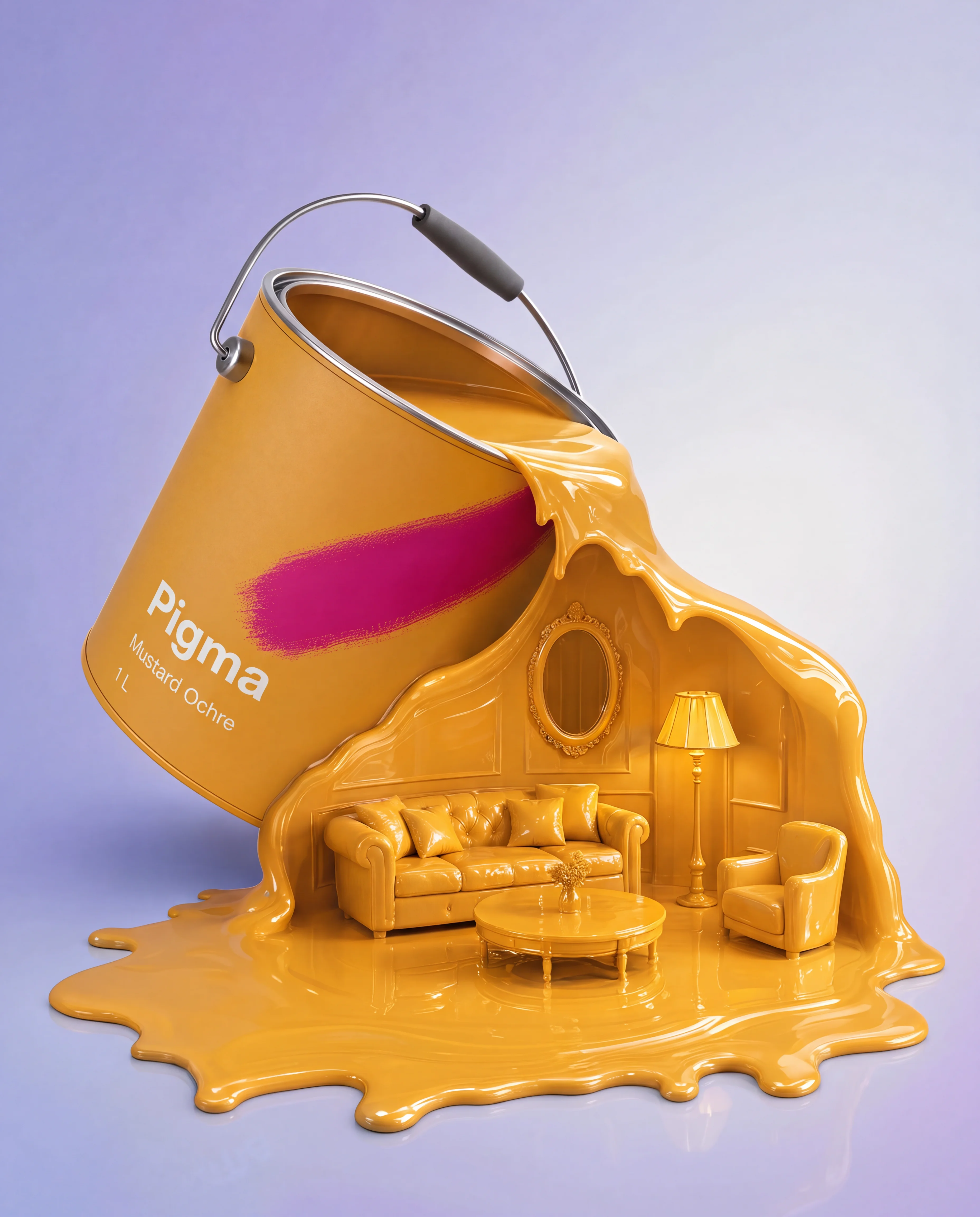
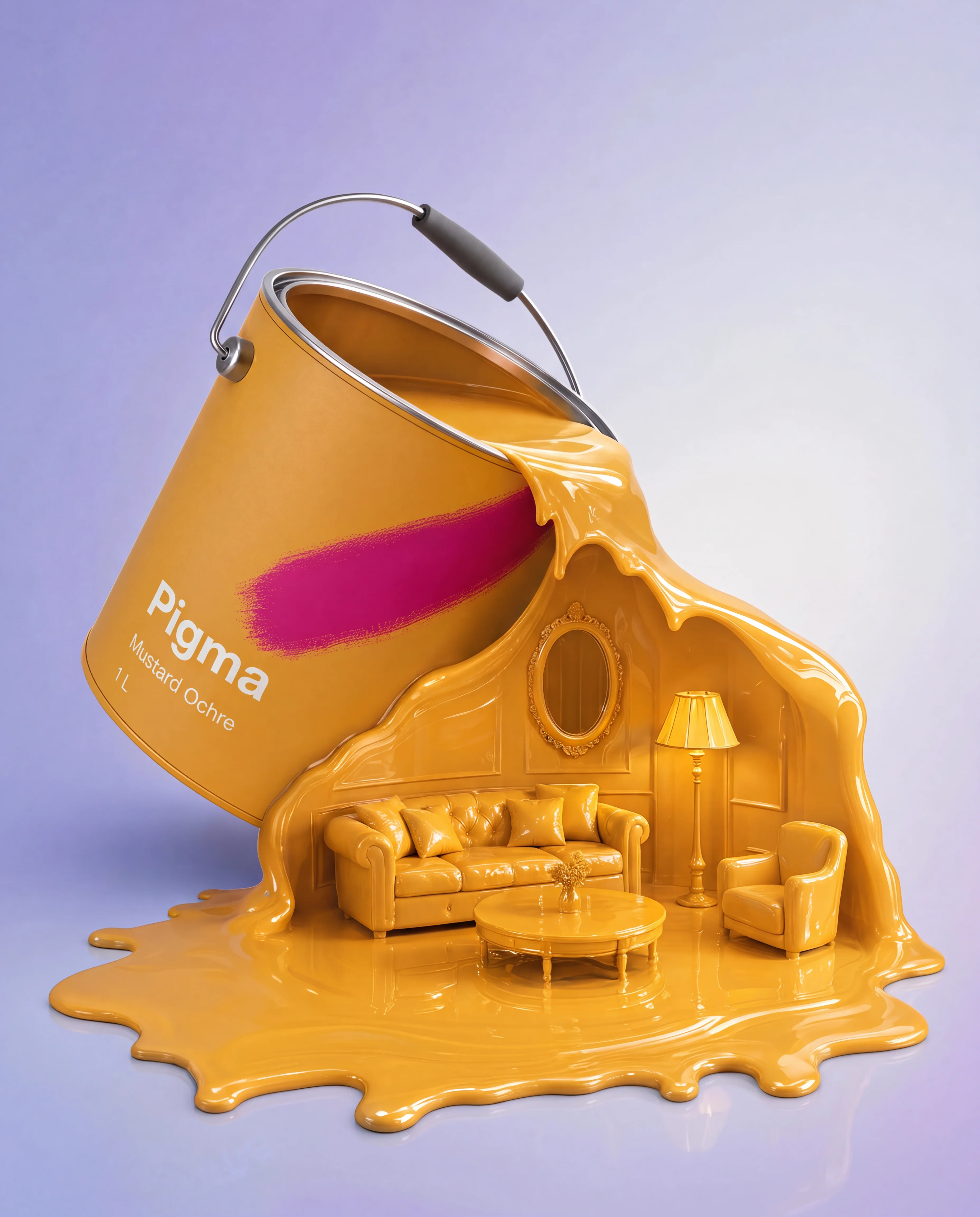
1. The Pour
Original prompt
USE CASE: brand hero campaign image, image-to-image recreation of the reference: a tipped-over paint can pouring a dramatic diagonal flood of solid-colour liquid paint that reshapes mid-splash into miniature furniture silhouettes, rebranded for PIGMA. The second reference is PIGMA's canonical product design sheet — every can shown must match it exactly, and its label layout must be used as the template.

One large PIGMA paint can with a matte mustard-ochre powder-coated body and fuchsia-magenta diagonal brushstroke matching the canonical sheet's exact proportions. The PIGMA wordmark is genuinely screen-printed flush into the metal. Directly below it, in the same technique and canonical layout, small clean text reads the paint colour name "Mustard Ochre" and capacity "1 L". The can is tipped diagonally, pouring a glossy cascading flood of matching mustard-ochre liquid that fills and forms a small opulent room with a sofa, floor lamp, oval mirror, and round coffee table, all sculpted from the same glossy wet paint pooling into a reflective puddle. Soft lavender-to-white gradient studio background, hyperreal glossy liquid with correct reflections, precise canonical can proportions and branding, photographic hyperrealism, exactly 1080 × 1350 pixels in 4:5 portrait.

Negative prompt: missing capacity text, missing colour name, inconsistent can design, wrong can shape, generic can, sticker label, glossy adhesive label, illegible text, misspelled brand name, watermark, extra text, cartoon look, unrealistic liquid physics.
2. The Island
Original prompt
USE CASE: brand campaign image, image-to-image recreation of the reference: an aerial top-down view of open ocean with a paint roller lying on its side, its wet trail forming a tropical island with sand and palm trees, and a small seaplane flying above. Rebrand it for PIGMA. The second reference is PIGMA's canonical product design sheet; the roller branding must match its style exactly.

STYLE: same surreal aerial composition, photographic hyperrealism, not illustration or cartoon. CHANGE ONLY: restyle the roller as a PIGMA-branded product with screen-printed handle branding and change the grip to a bold PIGMA accent colour. PRESERVE: aerial angle, ocean colour and texture, island shape and vegetation, seaplane placement, and overall composition.

SUBJECT: a PIGMA paint roller lying diagonally across the turquoise ocean surface — honey-wood handle continuing into a matte mustard-ochre (#D9A441) coated metal grip, a "PIGMA" wordmark screen-printed or laser-etched flush into the coating, raw-steel wire roller frame, and cream foam sleeve trailing into the sandy island shore as if the island had just been rolled into existence. A tiny seaplane flies toward the island in the upper right.

DETAILS: hyperreal water texture with reef gradients and wave micro-detail; sand grain and palm-tree detail; realistic roller wire, sleeve seam, cage bend, and scale. TEXT (EXACT): "PIGMA". CONSTRAINTS: screen-printed only, no sticker, correctly spelled branding, photoreal water and sand physics, no watermark or extra text.

Negative prompt: sticker, glossy label, drop shadow on text, illegible text, misspelled brand name, cartoon, illustration, 3D-render feel, unrealistic water, watermark, extra text, low detail.
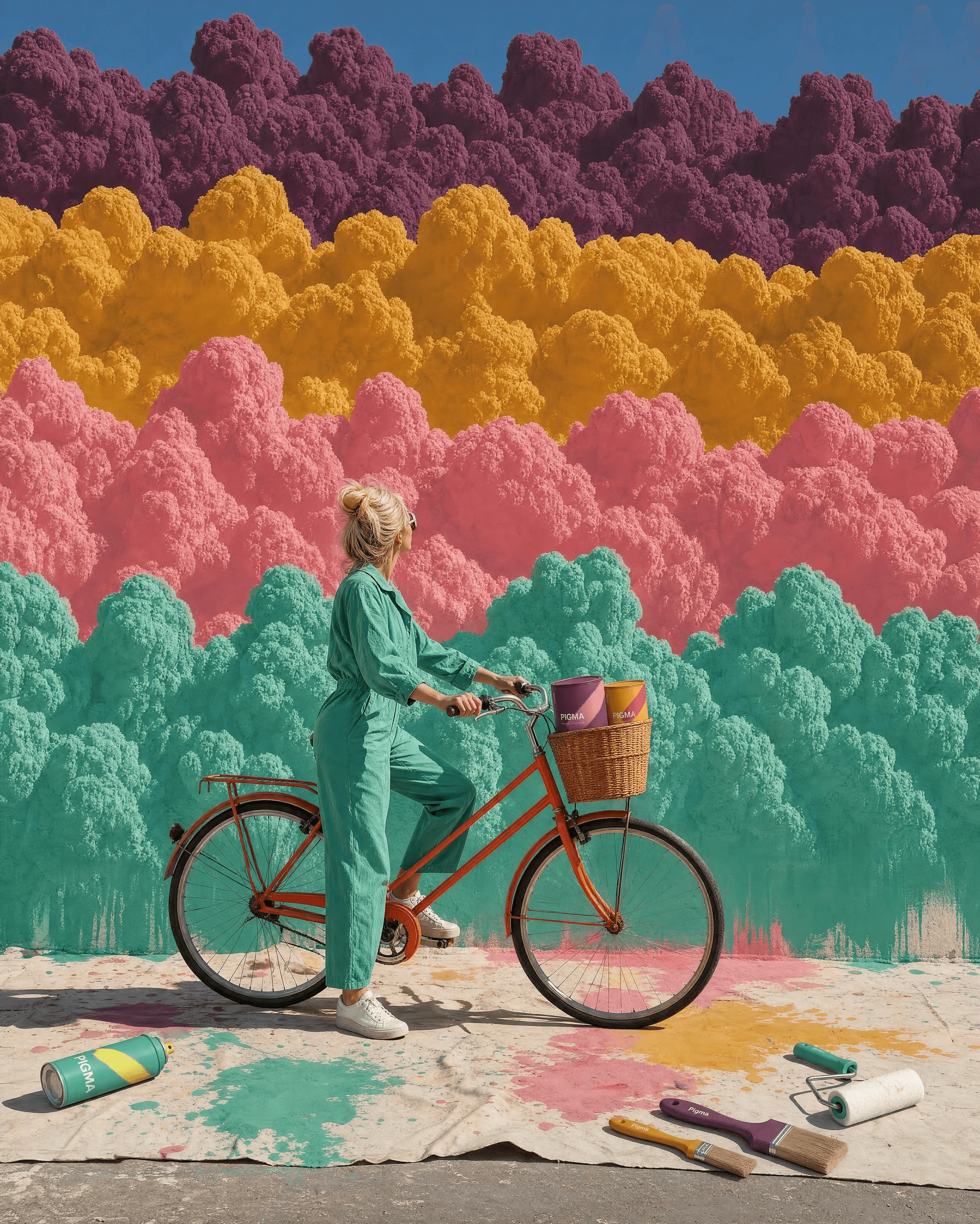
3. The Ride
Original prompt
USE CASE: brand lifestyle campaign image, image-to-image recreation of the first reference: a woman riding a bicycle in front of a towering wall of stacked multicolour cloud formations, rebranded for PIGMA and expanded with a stronger narrative. The second reference is PIGMA's canonical product design sheet for matching every product exactly.

STYLE: the same surreal-lifestyle composition — a tiered wall of puffy cloud-like colour masses — staged as "she just finished painting this cloud wall and is about to ride off." Photographic hyperrealism.

SUBJECT: a woman in a solid mint-teal (#3FA98A) jumpsuit standing beside or mounting a bicycle at the base of a towering wall of fluffy cloud formations stacked in horizontal bands: plum-eggplant (#6B3A52), mustard-ochre (#D9A441), dusty-rose (#D98CA0), and mint-teal (#3FA98A), with natural blue sky above. The bicycle's wicker basket holds two PIGMA paint cans matching the canonical design exactly, one mustard and one dusty rose. The ground is a realistic painter's work area with protective paper, paint spatters, one or two matching PIGMA brushes, one matching PIGMA spray can on its side, colour-matched drips and splashes, and faint roller tracks.

DETAILS: hyperreal painter's-paper and paint-spatter physics, exact product fidelity, natural fabric and hair detail, believable ground-level shadows, and sunlit pavement. TEXT (EXACT): "PIGMA" on each can and spray. CONSTRAINTS: exact canonical product design, screen-printed branding only, correct spelling and anatomy, no extra limbs or watermark.

Negative prompt: inconsistent product design, generic cans, sticker labels, glossy adhesive labels, illegible text, misspelled brand name, deformed anatomy, extra limbs, empty ground staging, cartoon look, watermark, extra text.
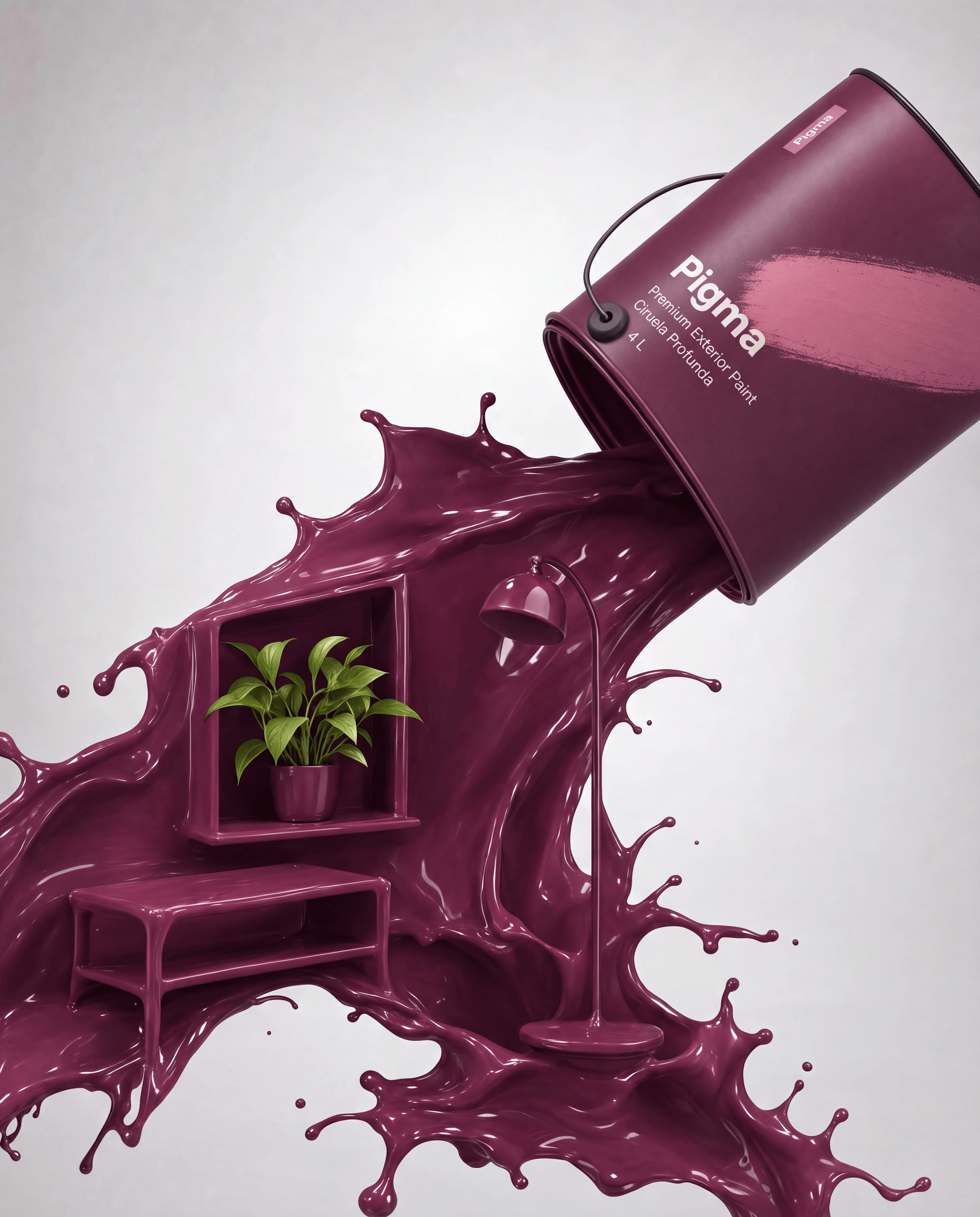
4. The Room
Original prompt
USE CASE: brand hero campaign image, image-to-image recreation of the first reference: a tipped-over paint can pouring a dramatic diagonal flood of solid-colour liquid paint that reshapes mid-splash into a floating shelf, small bench, floor lamp, and potted plant. Rebrand it for PIGMA. The second reference is PIGMA's canonical product design sheet and the can must match it exactly.

STYLE: the same surreal-lifestyle concept and diagonal composition on a plain soft neutral studio background, photographic hyperrealism, bold and striking, not flat or empty.

SUBJECT: one large PIGMA can with matte deep plum-eggplant (#6B3A52) body, dusty-rose (#D98CA0) diagonal brushstroke in the canonical proportions, flush screen-printed "PIGMA" wordmark, raw-steel wire handle, and open lid. Tipped at a dramatic diagonal, it pours a thick flood of matching plum liquid that folds into a floating shelf, low bench, and slim floor lamp, all sculpted from glossy wet paint. A lush potted plant with vivid natural green leaves sits among the forms as a strong colour contrast.

DETAILS: rich, viscous paint physics; deep shadows and glossy highlights; subtle frozen droplets; exact canonical can materials; full intentional composition. TEXT (EXACT): "PIGMA". CONSTRAINTS: screen-printed branding, exact canonical design, no sticker, correct spelling, saturated contrast, no watermark or people.

Negative prompt: inconsistent or generic can, wrong brushstroke, sticker label, glossy adhesive label, illegible text, misspelled brand, flat empty composition, washed-out colour, low contrast, watermark, extra text, cartoon, 3D-render feel.
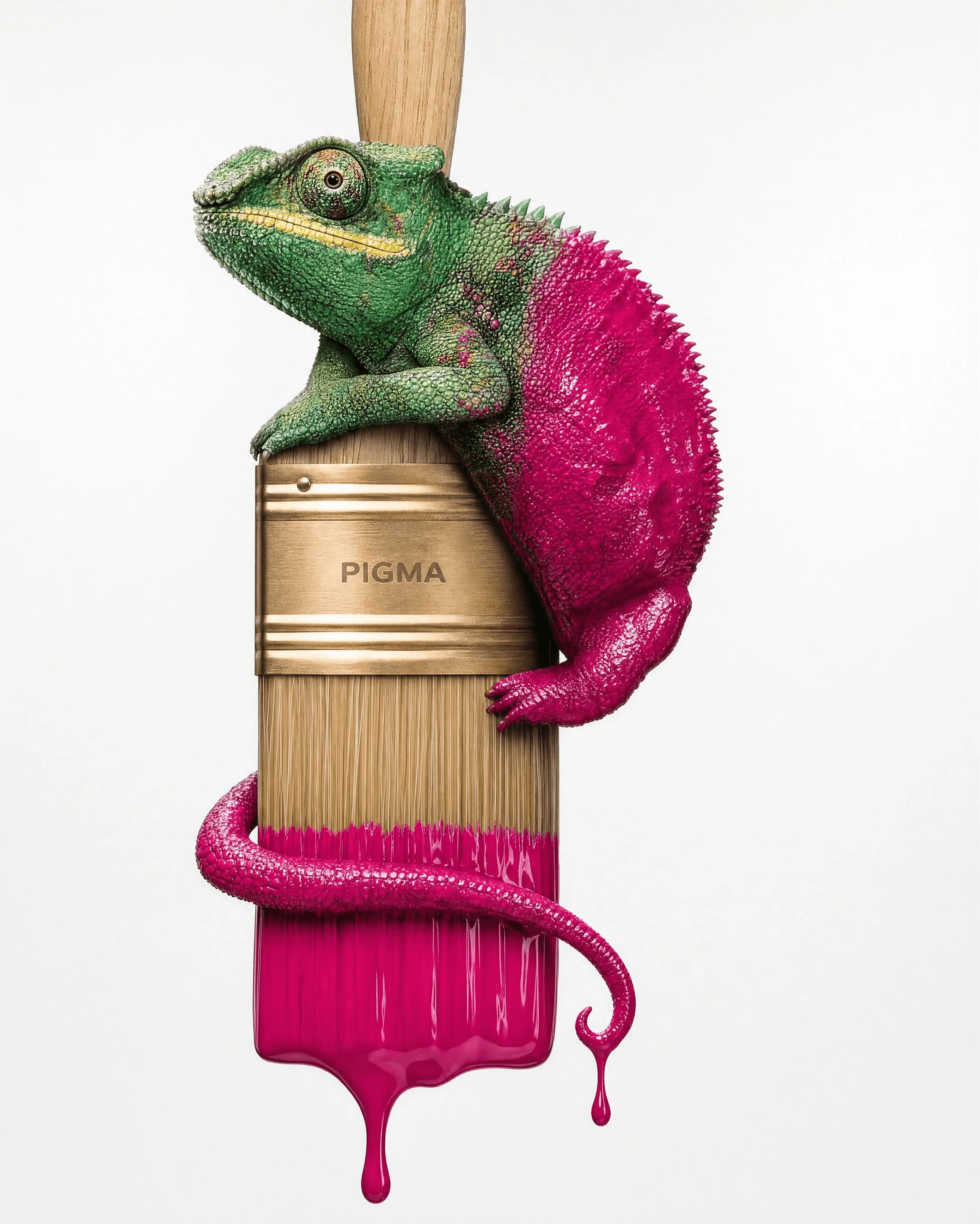
5. Color Change
Original prompt
USE CASE: brand hero product photograph, image-to-image recreation of the attached reference: a chameleon perched on a paintbrush, half natural and half freshly coated in glossy wet paint with a drip, rebranded for PIGMA.

STYLE: the same extreme macro-detail nature-meets-product photography, ultra-realistic textures, plain soft studio background, editorial advertising quality. Photographic, not illustration or 3D render.

SUBJECT: a chameleon with its head, eyes, front legs, and upper body in natural scale texture and colouring, transitioning into a back half and curled tail fully coated in glossy wet fuchsia-magenta (#C6156C), with one realistic teardrop drip falling from the tail. It perches on a PIGMA brush: honey-blond open-grain wood handle, raw brass ferrule with a small "PIGMA" wordmark screen-printed or laser-etched flush into the metal, natural wheat bristles fanned at the base, and tips dipped in the same fuchsia paint.

DETAILS: hyperreal scutes, iridescence, pores, and micro-bumps on the natural half; convincing wet sheen, viscosity, highlights, and drip bulb on the painted half; realistic bristle fanning, ferrule crimp, and continuous grain. TEXT (EXACT): "PIGMA". CONSTRAINTS: no sticker or glossy label, correct spelling, correct chameleon anatomy and limb count, no distortion, watermark, or extra text.

Negative prompt: sticker, applied label, adhesive edge, glossy label, text drop shadow, illegible or misspelled branding, cartoon, illustration, 3D render, CGI, extra limbs, deformed anatomy, plastic skin, watermark, extra text, low detail, blur, oversaturated banding.
6. The Bloom
Original prompt
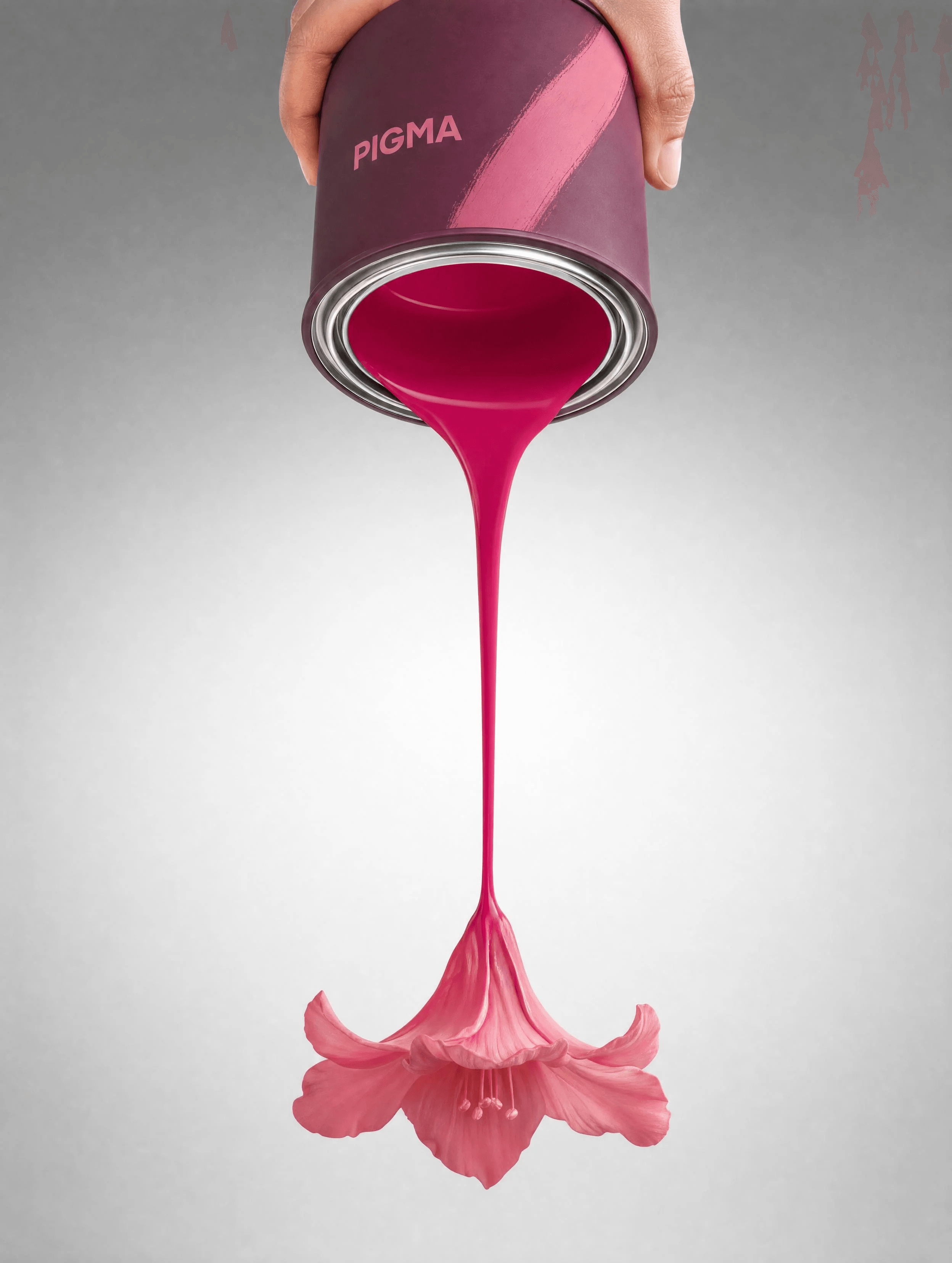
USE CASE: brand campaign hero image, image-to-image recreation of the reference: a hand tilting an open paint can, a long thin paint stream landing and blooming into a flower on a soft grey studio gradient, rebranded for PIGMA.

STYLE: the same clean poetic single-gesture composition, soft grey-to-white radial studio gradient, dramatic soft top light, premium minimal advertising photography, photographic hyperrealism. CHANGE ONLY: use a canonical PIGMA can, vivid fuchsia paint, and a warm dusty-rose bloom. Remove all other text, logos, and taglines. PRESERVE: the hand entering from the top, tilted can, long unbroken narrowing stream, flower below, grey radial gradient, and dramatic soft light.

SUBJECT: a hand tilting a PIGMA can at the top of frame — matte plum-eggplant (#6B3A52) body, dusty-rose (#D98CA0) diagonal brushstroke, flush screen-printed "PIGMA" wordmark, and raw-steel lid rim — pouring a smooth unbroken glossy fuchsia-magenta (#C6156C) stream that narrows into a stem and terminates in a naturally shaped dusty-rose (#D98CA0) flower with delicate petals.

DETAILS: hyperreal viscosity and pour physics, natural hand anatomy, naturalistic petal texture, and gentle shadow beneath the bloom. TEXT (EXACT): "PIGMA" only on the can. CONSTRAINTS: exact canonical design, no sticker, correctly spelled branding, no other text or logos, no extra fingers, photorealistic physics, no watermark.

Negative prompt: other brands, logos, taglines, sticker label, glossy adhesive label, illegible or misspelled branding, deformed hand, extra fingers, cartoon, illustration, 3D render, watermark, extra text, low detail, unrealistic physics, broken stream.
7. The River
Original prompt
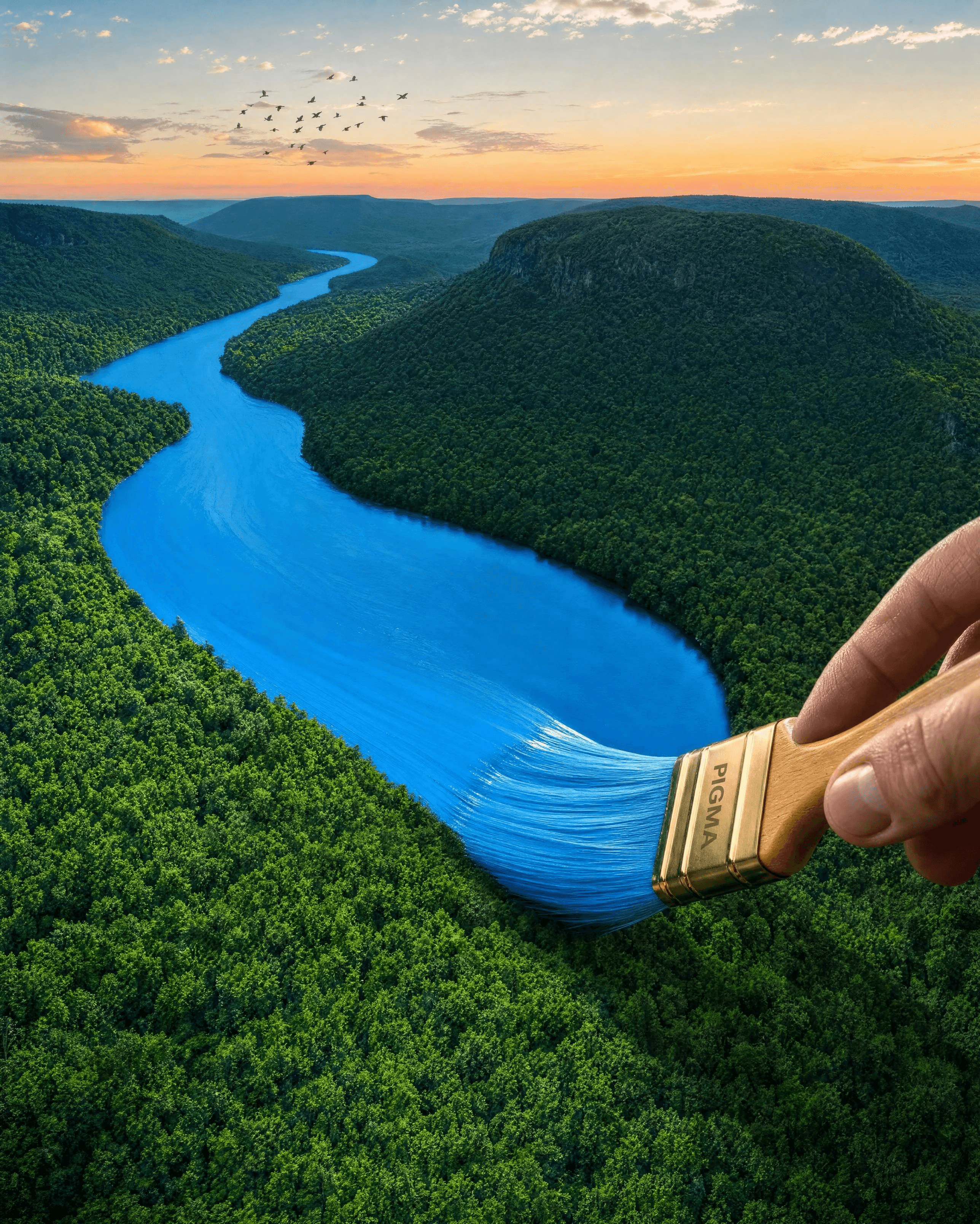
USE CASE: brand campaign image, image-to-image recreation of the reference: an aerial winding forest river valley at dusk, with a human hand entering from the bottom right holding a paintbrush that appears to paint the landscape into existence, rebranded for PIGMA.

STYLE: same aerial dusk composition, photographic hyperrealism, not illustration or cartoon.

SUBJECT: a PIGMA wide flat wall brush — honey-blond open-grain wood handle, raw brass ferrule with a "PIGMA" wordmark screen-printed or laser-etched flush into the metal — held by a natural hand entering from the bottom right. Its bristles are loaded with wet mint-teal (#3FA98A), applying a broad soft-edged swipe over a curving section of river and forest below, blending naturally into the surrounding colours at the frayed edge.

DETAILS: hyperreal hand and finger anatomy, bristle fanning, wet paint sheen, dense forest canopy, river reflections, warm dusk gradient, and small silhouetted birds. TEXT (EXACT): "PIGMA". CONSTRAINTS: screen-printed only, no sticker, correct spelling and finger count, photorealistic, no watermark.

Negative prompt: sticker, glossy label, text drop shadow, illegible or misspelled brand, extra or fused fingers, deformed hand, unnatural grip, cartoon, illustration, 3D-render feel, watermark, extra text, low detail.
8. The Field
Original prompt
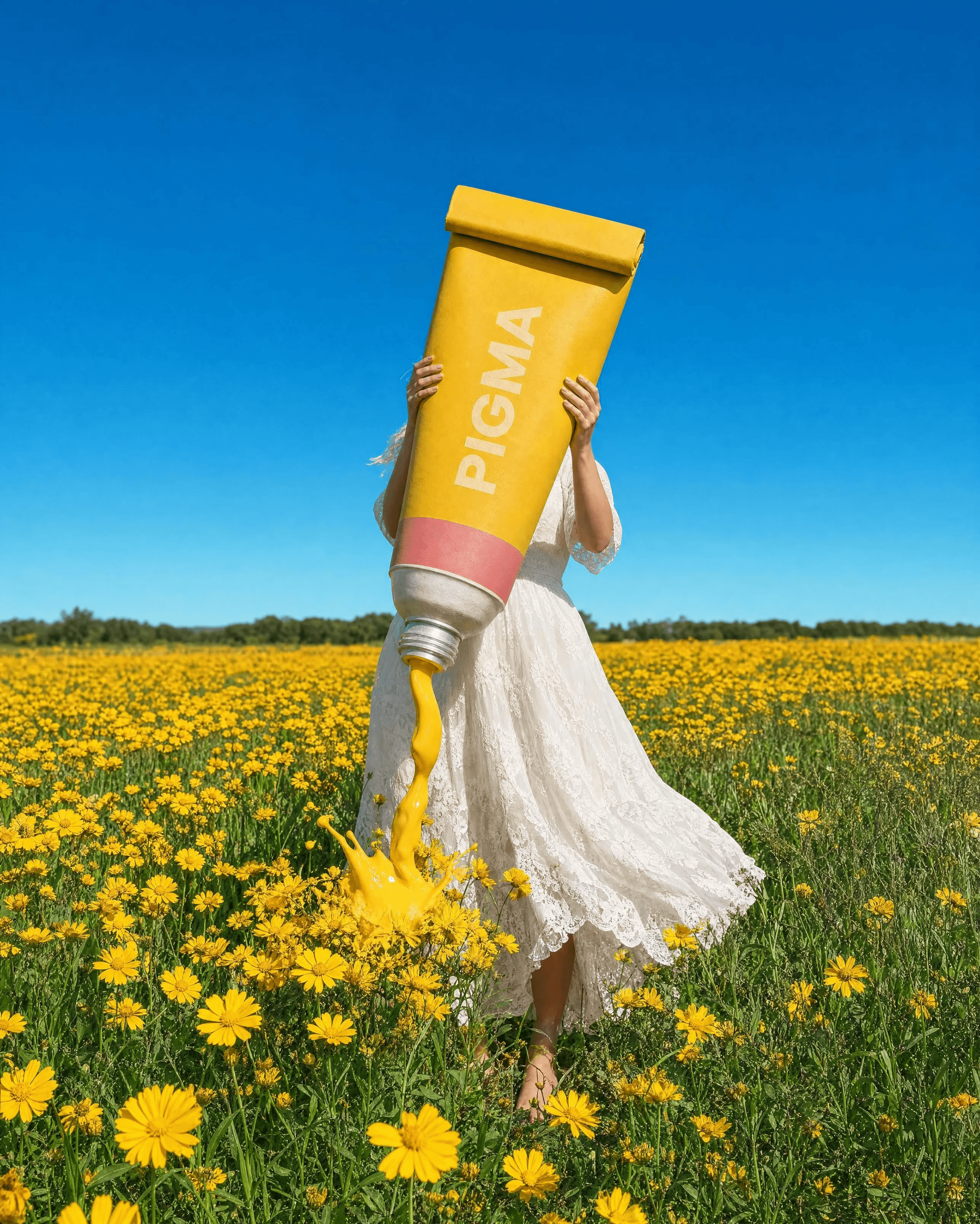
USE CASE: brand lifestyle campaign image, image-to-image recreation of the reference: a woman in a wildflower field holding a giant paint tube upright in front of her face and torso like a monument, rebranded for PIGMA. The second reference is PIGMA's canonical product sheet for the screen-printed branding style.

STYLE: the same surreal-scale lifestyle composition — oversized product held by a person in a real wildflower field, editorial fashion-meets-product photography, photographic hyperrealism.

SUBJECT: a barefoot woman in a flowing white lace dress stands in a dense field of brilliant sunflower-yellow wildflowers and punchy green foliage, holding an oversized PIGMA tube upright in both hands so it completely obscures her face. The bright saturated yellow tube has a rolled crimped end, a "PIGMA" wordmark screen-printed or embossed flush into its matte surface, and a thin dusty-rose (#D98CA0) band near the base with small clean product details. A thick blob of vivid yellow paint oozes from the open cap like toothpaste and lands on the flowers as if actively painting them. Above is an intense clear ultramarine-cerulean sky with no clouds.

DETAILS: hyperreal lace and windswept hair, matte crimped tube with subtle dents, believable viscous ooze and landing splash, vivid flowers and foliage, and correct oversized scale. TEXT (EXACT): "PIGMA". CONSTRAINTS: screen-printed or embossed only, no sticker, correct spelling, natural anatomy and fabric physics, face obscured, no watermark.

Negative prompt: sticker, glossy adhesive label, illegible or misspelled branding, dull muted colours, orange field, cloudy sky, deformed anatomy, extra limbs, cartoon, watermark, extra text.
Three Seedance 2.5 motion prompts
The finished PIGMA animations
The Ride
Color Change
The Bloom
Animation 1: The Ride — 8 seconds
Single continuous shot, 8 seconds, locked static wide camera, no camera movement. Portrait 3:4. [0–2s] She stands beside the bicycle at the base of the finished cloud wall, still, looking upward at her work, a quiet moment of contemplation. [2–3.5s] A small satisfied smile, a slow nod; she lowers her gaze and turns toward the bicycle. [3.5–5s] She swings a leg over and mounts smoothly, one foot finding the pedal, pushing off calmly and unhurried. [5–8s] She pedals steadily away along the pavement, receding and shrinking in frame, exiting past the edge. By the final frame she is fully gone; only the painted wall, painter's paper, brushes, and paint-stained ground remain. Camera completely locked throughout. Natural human and bicycle motion, believable pedalling mechanics, no jitter or deformation. 4K ultra-HD sharp cinematic texture.
Animation 2: Color Change — 6 seconds
Single continuous shot, 6 seconds, locked static macro camera, no camera movement. Portrait 3:4. [0–1.5s] The tail paint drip slides slowly downward at a natural pace, gathers into a hanging bead, then drops. The chameleon makes a small organic weight shift. [1.5–3.5s] Its eyes move independently — one swivels left while the other drifts right, then both scan different corners, curious and unhurried. [3.5–5s] Both eyes converge on the 'PIGMA' wordmark on the brass ferrule below its head. One slow blink. [5–6s] It holds its gaze as a second drip forms and slowly swells at the tail tip. Camera completely locked throughout. Natural smooth chameleon eye movement, independent eye tracking, organic paint drip physics with realistic viscosity and gravity. Face and product stable, no deformation, no morphing. 4K ultra HD sharp clarity, macro texture detail. Portrait 3:4.
Animation 3: The Bloom — 5 seconds
Single continuous shot, 5 seconds, restrained handheld camera with subtle organic sway and micro-drift, premium product-ad handheld, never shaky. Portrait 3:4. Use the reference only as the final state. [0–1s] A hand enters from the top gripping a PIGMA can, fingers adjusting as its weight pulls on the wrist. The can keeps tilting; a moving highlight glides along the raw-steel rim. [1–2s] The can reaches its pour angle while the hand continues small weight-bearing adjustments. A heavy bead gathers, breaks surface tension, and drops; the stream falls with gravity, thickening and thinning unevenly with a wet highlight. [2–3.5s] The stream lengthens, then its lower end slows and folds back in uneven organic curls. Paint buckles and layers under its own weight into messy, natural petal-like folds. [3.5–5s] The bloom settles into the reference's final rose form while petal edges make tiny gravity-driven shifts. The hand never becomes static and the highlight continues sweeping. No deliberate pan, zoom, or dolly. Real viscosity and gravity, uneven stream thickness, no clean graphic morph, correct hand anatomy, no deformation, 4K ultra-HD clarity and glossy realistic reflections.
Review checklist
Before generating the next frame
Why the prompts work
FAQ
Get started with on-brand visuals
Your catalog into campaign-ready Creative
Riverflow connects your products, brand rules and creative workflows so your team can create on-brand photoshoots, ads, videos and edits across every campaign.