Guide
How to Turn Product Photos into Lifestyle Images
A practical guide to transforming product photos into lifestyle images that feel on-brand, useful, and accurate for ecommerce campaigns.
- Guides
- AI Product Photo Editing

Examples
Scenes from the Riverflow library
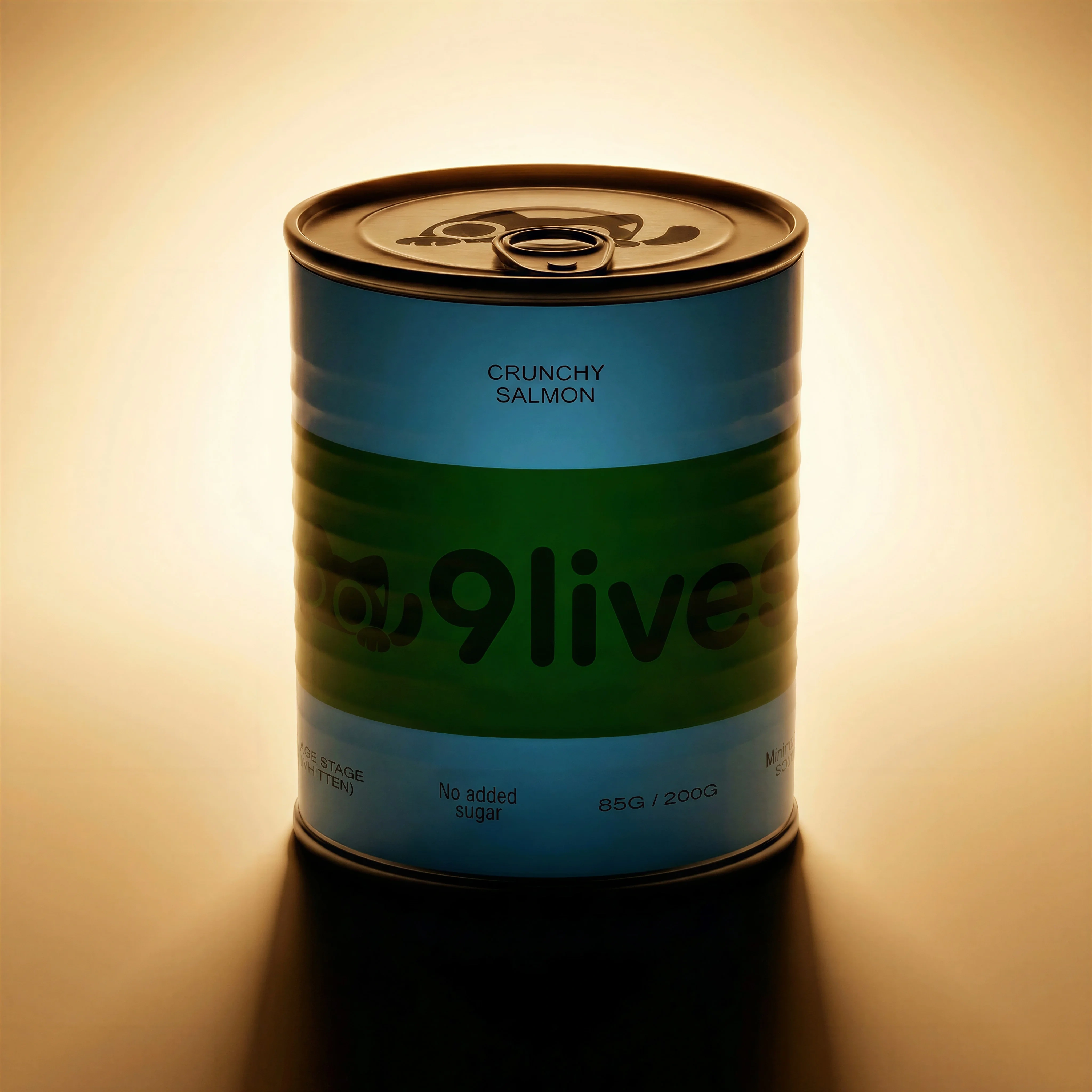
Plain product source for the before side of the story.
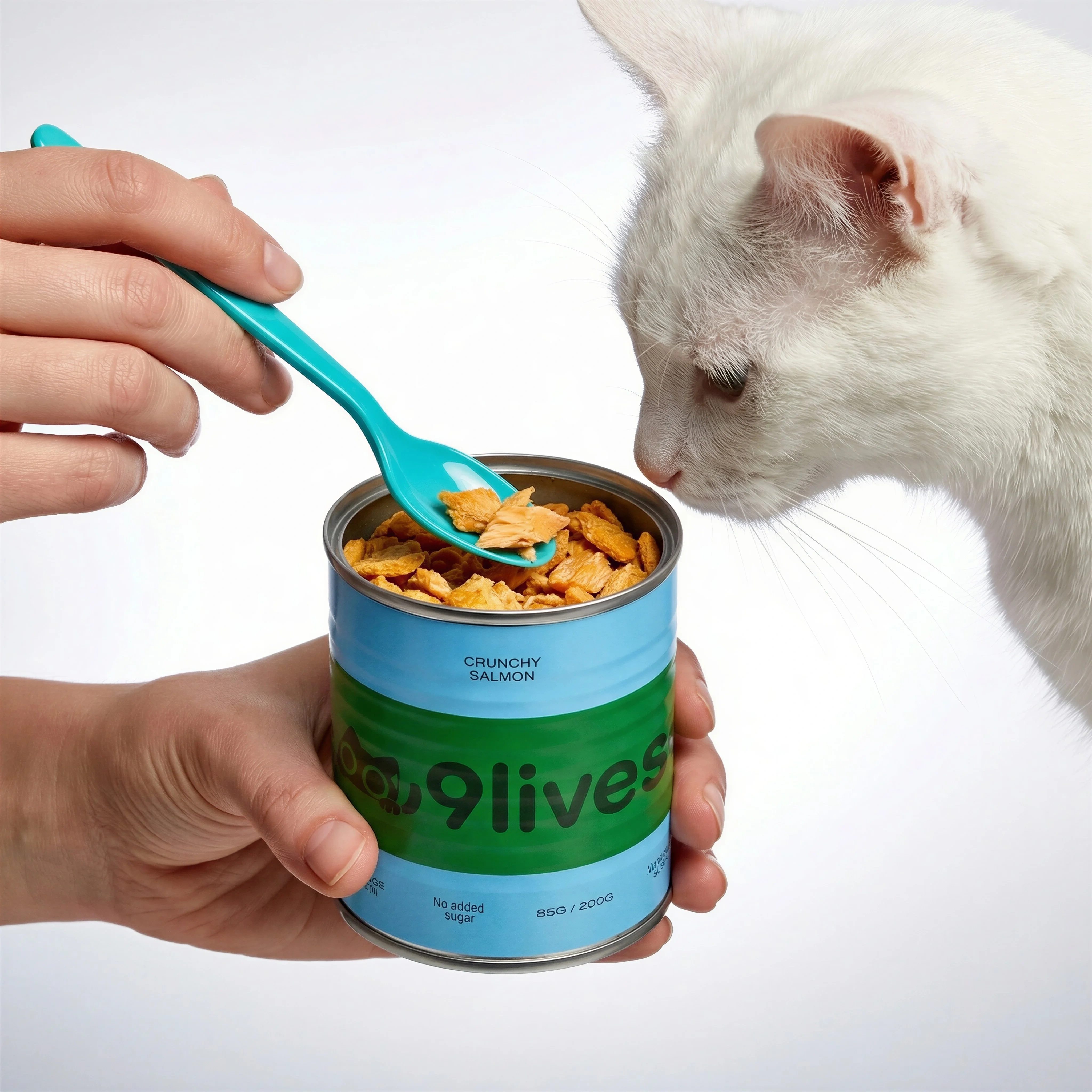
In-use feeding scene adds context and action.
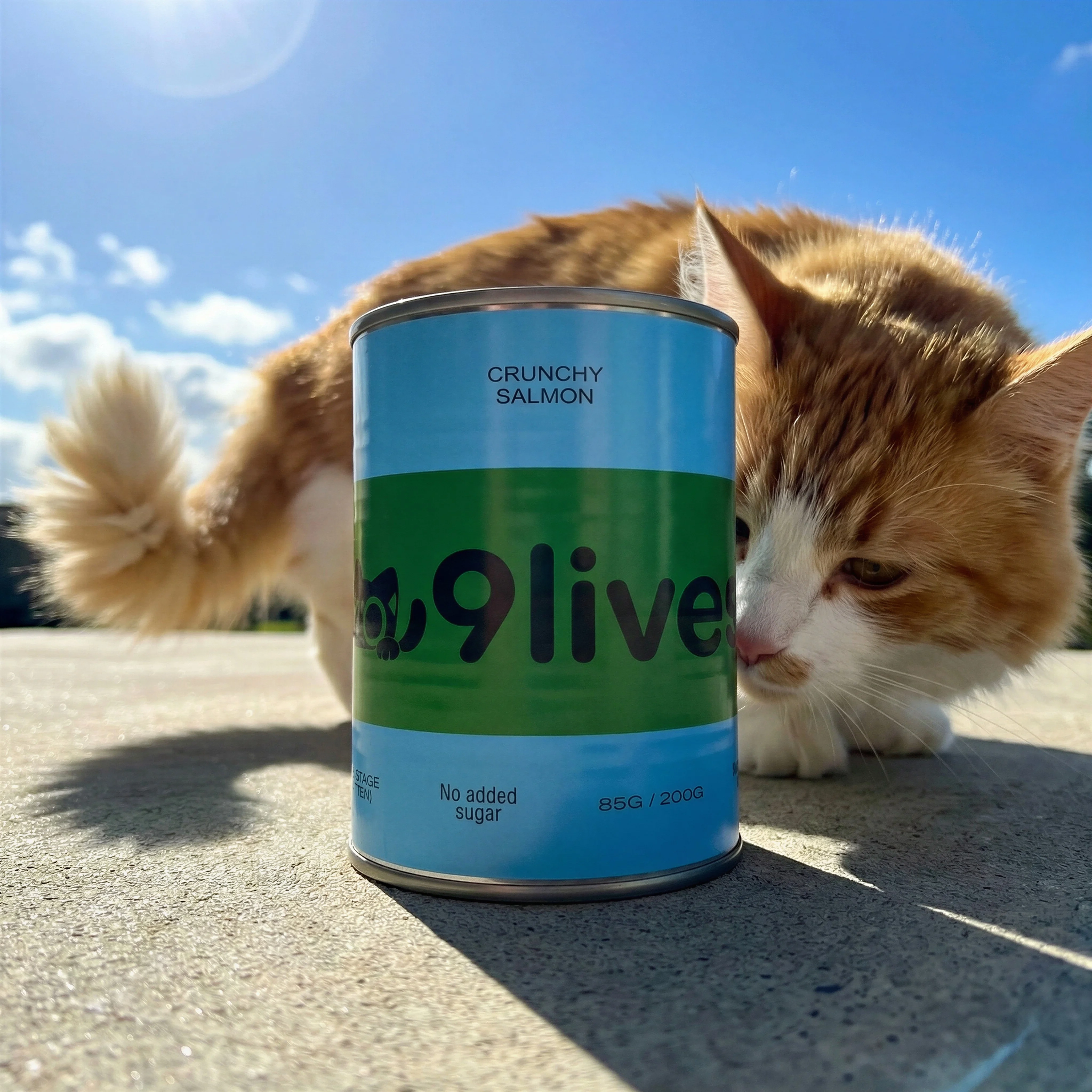
Real-environment variant shows the product in a natural setting.
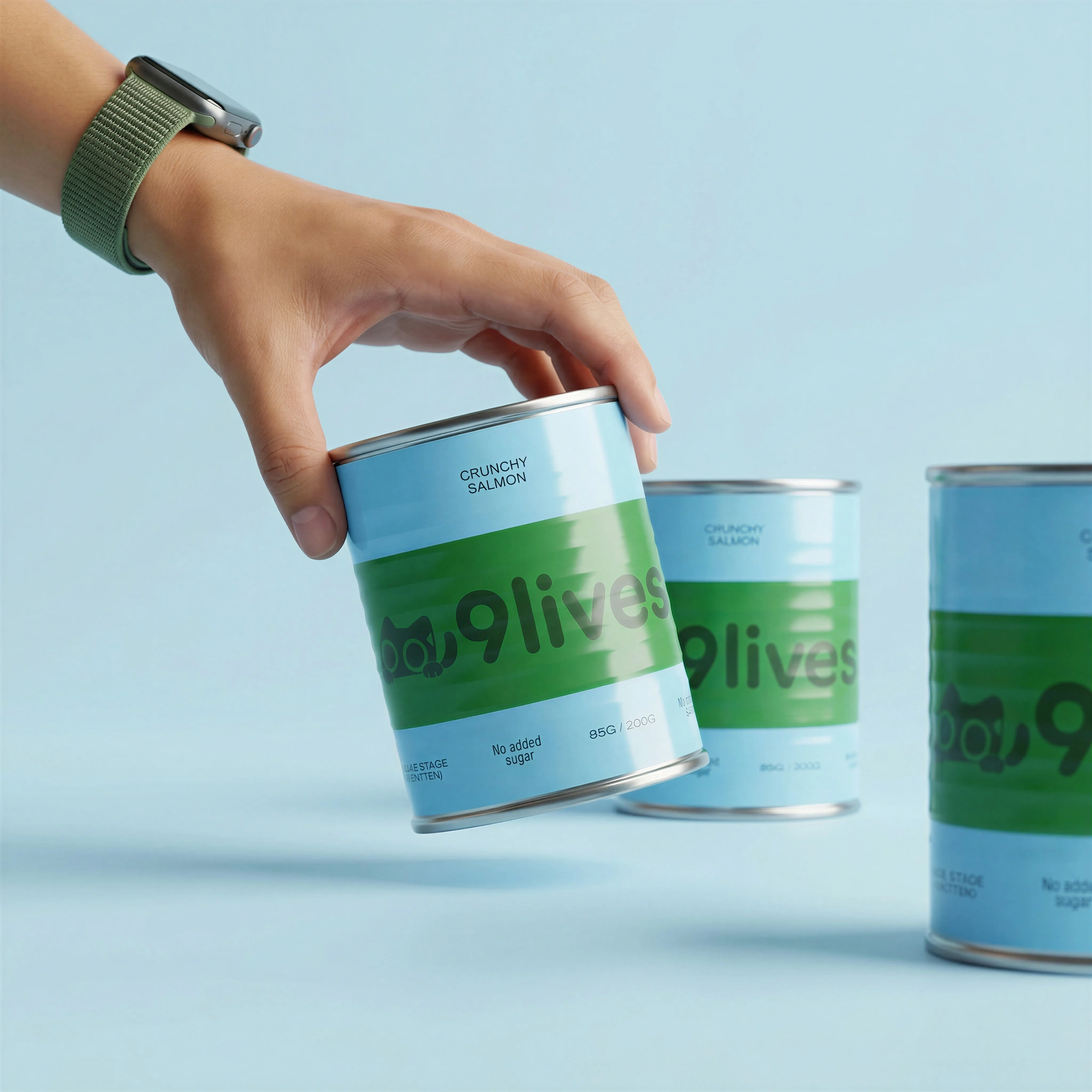
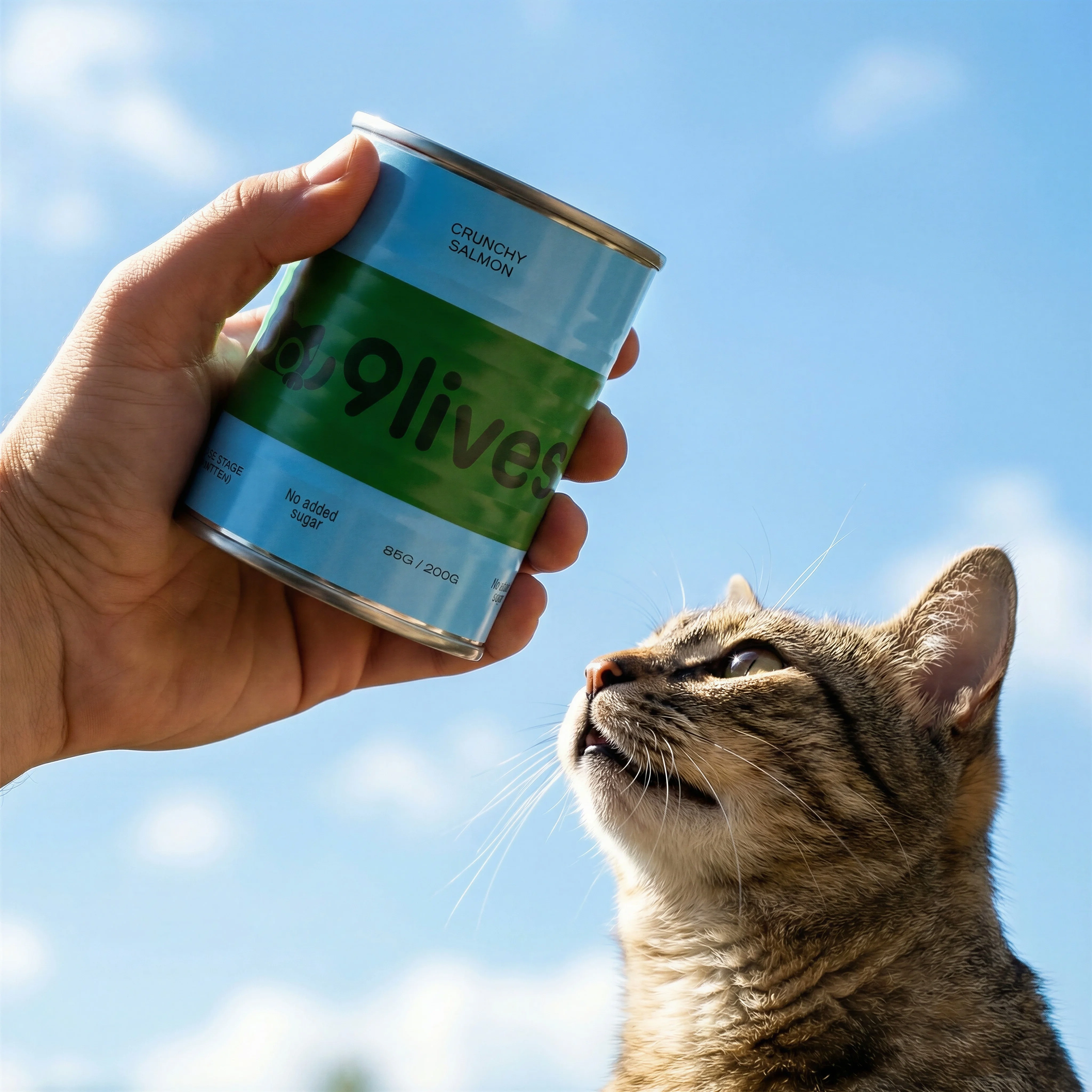
Handheld framing turns a basic can into shopper-ready lifestyle context.
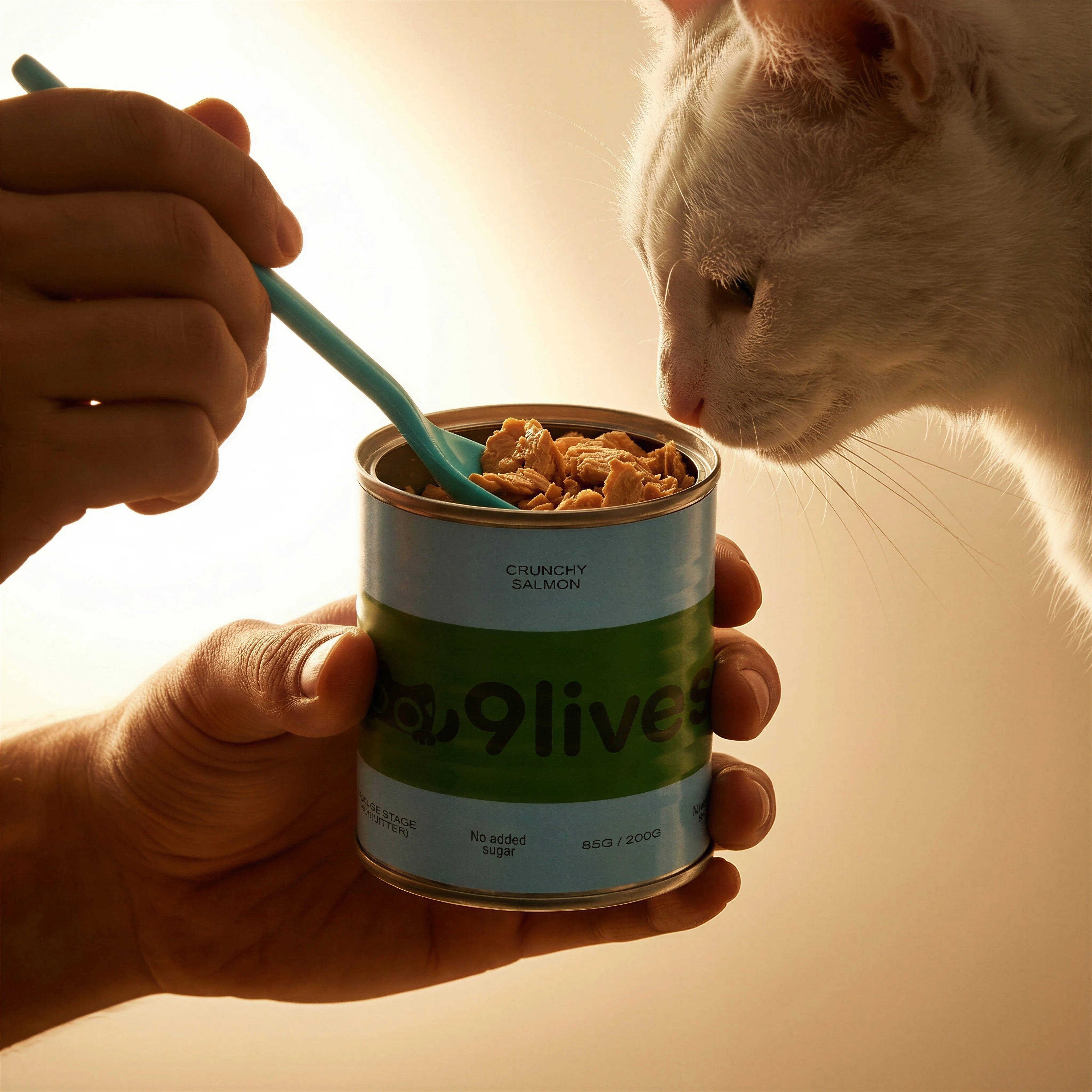
A lived-in usage moment shows how product imagery can become a story.
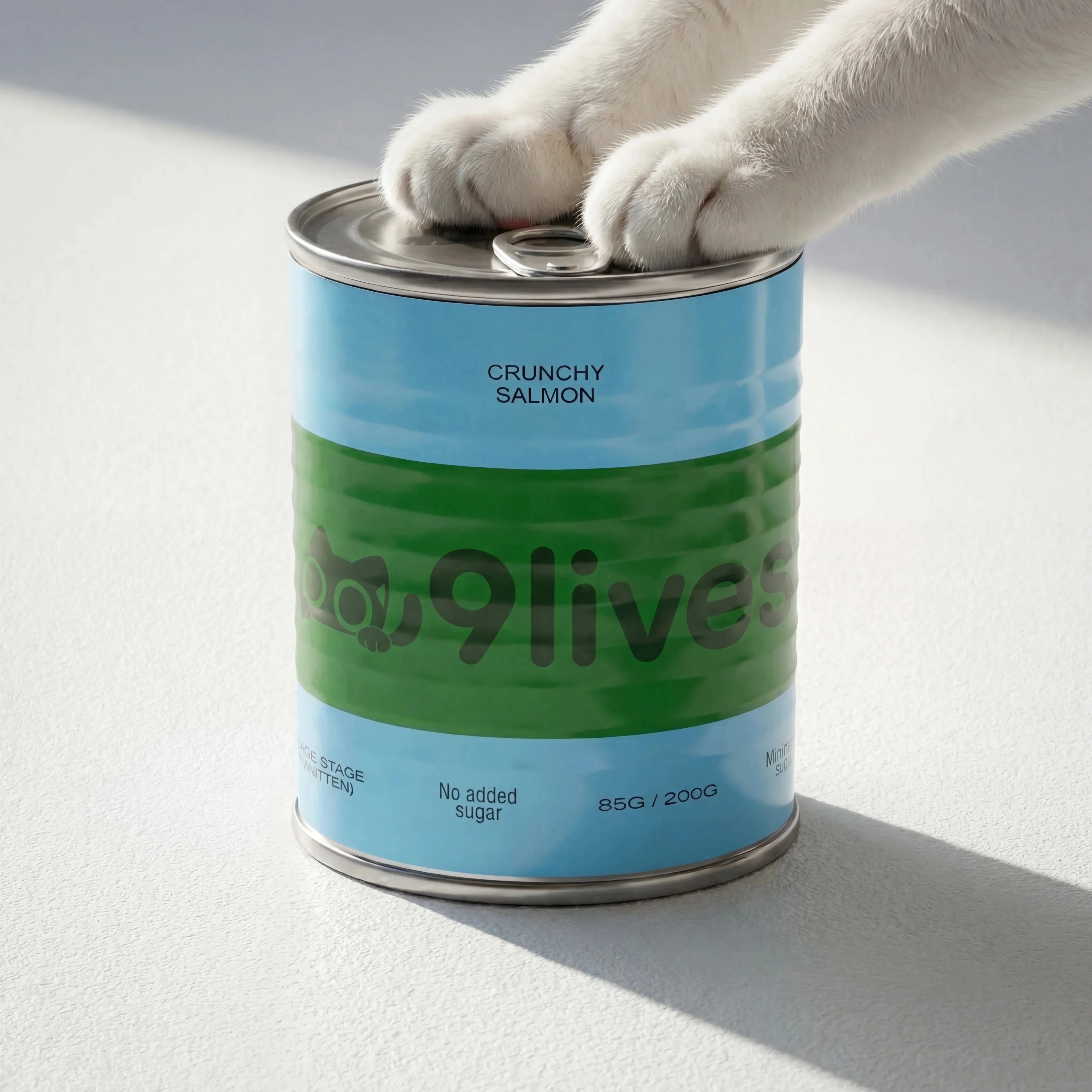
Close product detail provides a strong source-style contrast for lifestyle expansion.
Plan the scene by shopper job
A clean product photo shows what the item looks like. A lifestyle image shows where it belongs, how it fits into a routine, and why a shopper might care. The best briefs are practical: they answer a buying question rather than asking for a generic lifestyle background.
Riverflow's Photoshoots workflow is useful here because it treats the environment as a reusable creative asset. You can choose a Scene from Riverflow's extensive brand-safe library, bring your own Scene from a real photoshoot, and adapt that Scene to the product. Styles then help keep the visual language consistent when you need a full set: studio, lifestyle, handheld, action, detail, and channel-specific crops.
If the product source still needs isolation before scene work, start with background removal. If the challenge is keeping the same SKU consistent across many Scenes, use product consistency in AI images as the review system.
Visual playbook
From product photo to lifestyle system
Use the source image as the product truth, then build scenes that show use, context, scale, and emotion.
Source product shot
Start with a clean reference that clearly shows the product, label, color, and package shape.
Use when: Use before generating any lifestyle scene so reviewers know what must stay fixed.
Prompt cue
Use this cat food can as the fixed source reference. Preserve the can shape, label, color, product name, and package proportions.
Adapted in-use Scene
Use a controlled Scene to show the product doing a clear job in a believable setting, not just sitting near props.
Use when: Use for PDP lifestyle galleries, consideration content, product education, and retargeting ads.
Prompt cue
Adapt a feeding-time Scene to the exact cat food can. Keep the label visible, scale realistic, and product role clear.
Style-matched scale proof
Hands can add human context and product scale, but the Style should still match the rest of the campaign and avoid hiding important label details.
Use when: Use for social ads, creator-style pages, email modules, and casual product education.
Prompt cue
Show a hand holding the exact cat food can in natural light using the approved lifestyle Style. Preserve label visibility, realistic hand scale, and soft background context.
Lifestyle image controls
Choose the right approach
Lifestyle generation matrix
Control the flexible scene details without letting the product drift.
| Workflow | What to control | Review standard |
|---|---|---|
| Product source | Shape, label, logo, color, material, variant, size, included accessories, and visible text. | The lifestyle image should show the same product, not a category approximation. |
| Photoshoots Scene | Scene source, audience, buying question, environment, product role, routine, props, and campaign message. | Whether the Scene comes from Riverflow's library or your own photoshoot, it should make the product easier to understand, compare, trust, or imagine using. |
| Photoshoots Style | Lighting mood, color palette, polish level, surface language, lens feel, motion, and shot type family. | Lifestyle, studio, handheld, action, and close-up shots should feel related without becoming repetitive. |
| Editing and export | Aspect ratio, center point, product detail repair, product swap, PDP crop, social ratio, email layout, ad text space, mobile legibility, and safe zones. | The final asset should work where it will run without hiding the product, crowding copy, or changing SKU truth. |
Riverflow workflow
How this works in Riverflow
The strongest lifestyle workflow starts with a product reference, chooses the right kind of scene control, then uses editing to make the final asset production-ready.
Photoshoots
Adapt Scenes to the product
Use a Scene from Riverflow's brand-safe library, or bring your own Scene from a photoshoot, then adapt it to the product. Use Styles to keep the same campaign language across different environments, angles, and shot types.
Images
Explore concepts and variants
Use Riverflow's Images product for text-to-image and image-to-image work with Riverflow 2.0 Pro, Google's Nano Banana 2, or OpenAI GPT-Image-2 when you need to test new concepts, background directions, or model strengths around a product reference.
Editing
Finish the image for its channel
Change aspect ratio while keeping the image natural, generate 9 angle variants to assess product form, fix product artwork in place with Riverflow 2.0 Reference-Based Super Resolution, or Swap product into a scene that already works.
Lifestyle image checklist
Before you publish
Review before publishing
- The product matches the source photo in shape, color, label, logo, material, and variant.
- Packaging text and product details are not invented, distorted, or hidden by hands or props.
- The scene answers a real shopper need: use case, scale, routine, fit, bundle, gifting, or context.
- The Scene source is appropriate for the brand, whether it comes from Riverflow's library or your own photoshoot.
- The Style matches the rest of the campaign across different shot types.
- Lighting, shadow, reflection, and perspective match the environment.
- Product scale is believable relative to hands, surfaces, furniture, pets, food, or other props.
- The product remains the focal point at mobile size.
- Brand colors, tone, and polish fit the campaign.
- The crop and aspect ratio leave enough space for PDP layout, social placement, ad text, or email design.
Scene brief quality test
A weak lifestyle brief describes a background. A strong lifestyle brief describes a shopper moment: who is using the product, what they are trying to do, what detail must stay visible, and why the image belongs on a PDP, ad, email, or landing page.
Before generating, write one sentence in this form: "This image should help the shopper understand..." If the sentence ends with "the product looks nice in a kitchen," the brief is probably too generic. If it ends with "the sachet fits into a travel routine," "the serum texture is used before SPF," or "the can scale is clear in-hand," the Scene has a job.
Riverflow prompt recipe
Create it in Riverflow
Riverflow prompt recipe
Use this structure to turn the strategy into a specific creative brief that keeps the product accurate and the scene useful.
- 1
Input
Attach the source product photo and any additional reference for label detail, material, color, artwork, or scale.
- 2
Control
State what must stay exact: product shape, label, logo, color, material, variant, package size, and readable text.
- 3
Scene
Choose the Scene path: Riverflow library Scene, your own photoshoot Scene, or Images text-to-image or image-to-image exploration.
- 4
Style
Describe the visual system: lighting mood, color palette, polish level, surface treatment, lens feel, and which shot types should match.
- 5
Destination
Specify whether the output is for PDP, paid social, email, landing page, launch campaign, organic social, or a reusable campaign master.
Example prompt
Mistakes to avoid
Letting the background overpower the product.
Keep the product visible, legible, and central enough to support ecommerce decision-making.
Briefing a generic lifestyle scene.
Define the shopper moment, use case, audience, product role, destination, and whether the Scene should come from Riverflow's library or your own photoshoot.
Treating every shot as a separate creative direction.
Use Styles so studio, lifestyle, action, and crop variants feel like one campaign system.
Accepting subtle product changes because the image feels realistic.
Compare every output to the source photo and reject changes to label, shape, color, material, or variant details.
Ignoring the finishing pass.
Check lighting, perspective, contact shadows, reflections, scale, aspect ratio, and product detail repair before exporting.
FAQ
What makes a strong ecommerce lifestyle image?+
It shows a believable customer moment while keeping the product accurate and easy to recognize. The scene should support a buying question, not just decorate the product.
When should a lifestyle image be rejected?+
Reject it when the product is hidden, scale is unbelievable, the setting implies an unsupported use case, or the image adds atmosphere without answering a shopper question.
How do Photoshoots differ from a generic lifestyle prompt?+
Photoshoots lets you work from controlled Scenes: either Riverflow's brand-safe library or Scenes from your own photoshoots. Styles help maintain consistency across shot types, which is harder to control with one-off prompts.
What should be reviewed first in an AI lifestyle image?+
Review product accuracy first: shape, label, logo, color, scale, material, and variant. Then review scene realism, Style fit, aspect ratio, and channel readiness.
Start creating
Get started with on-brand visuals
Turn guide ideas into product-accurate creative in Riverflow, using your brand, products, scenes, styles, and channel crops from the start.
Your catalog into campaign-ready Creative
Riverflow connects your products, brand rules and creative workflows so your team can create on-brand photoshoots, ads, videos and edits across every campaign.