Research
Introducing Riverflow Batch
Explore how Riverflow Batch applies AI-powered edits across sets of assets. Read the workflow below, then check current access and plan options.
- Sourceful Research
- Batch
- Image Editing
- Creative Workflows
- AI

Put the research to work
Explore current model examples, try the app or read the integration documentation.
Today we are introducing Riverflow Batch, a creative production workflow for applying AI-powered actions across large sets of assets in one go. Batch is built for the moment when a team no longer wants to test a single promising edit, but needs to apply that edit across a product range, a campaign, a marketplace feed, or an entire folder of images.
The goal is simple: make AI useful for real production volume. Instead of editing one asset, waiting, checking, retrying, and then starting again, Batch lets teams transform anything from a single image to 100s of assets in parallel, using Riverflow's most powerful agentic image models to improve consistency, accuracy, and review speed.
Why Batch exists
The biggest cost in AI creative production is not only generation cost. It is the human time around the model: waiting for each result, checking whether the edit followed the instruction, retrying failed outputs, and keeping track of which assets are finished.
That work becomes manageable for one or two assets. It becomes painful at 20. It becomes a bottleneck at 100.
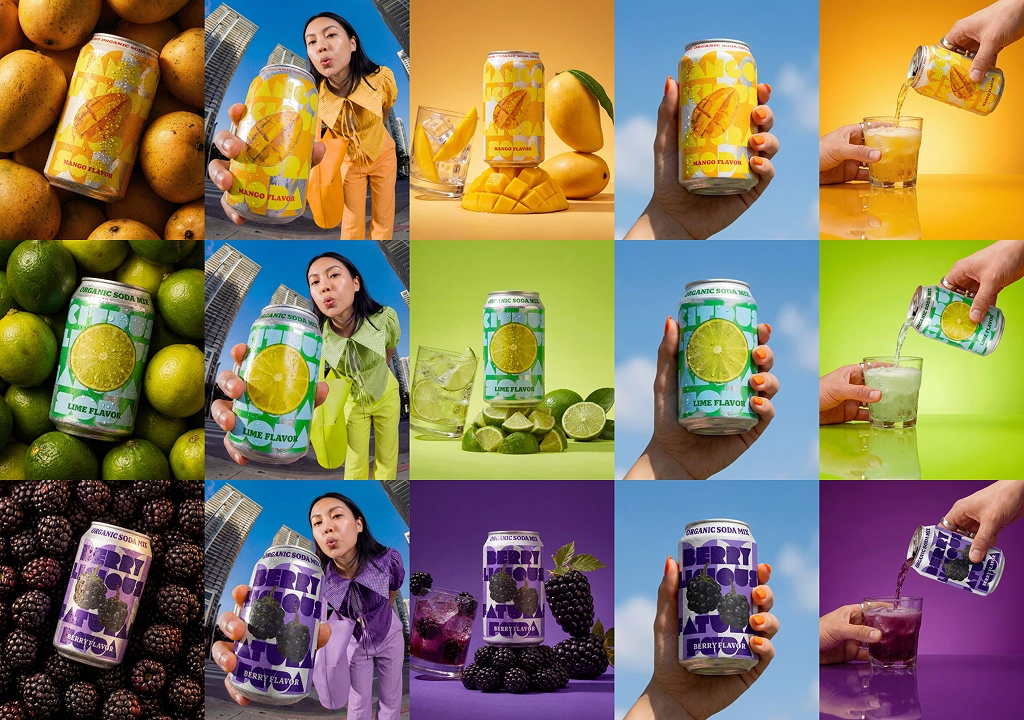
Creative and ecommerce teams rarely need one isolated image. They need a shelf of product images corrected, a full SKU range adapted to a new format, a campaign concept applied across variants, or a set of assets cleaned up before going live. The manual version of that workflow is slow because every image creates another small loop of waiting, judging, and rework.
Batch is designed to collapse those loops. A team chooses an action, selects the assets it should apply to, configures the output they want, and lets Riverflow work through the set in parallel.
Parallel agentic editing
Batch uses the same production philosophy behind Riverflow 2.0: frontier image models are most useful when they are wrapped in a workflow that can reason, evaluate, and correct itself.
Each Batch run applies an action across many inputs at once. That action can be a structured edit, a reusable production step, or a more open creative transformation. Behind the scenes, Riverflow runs the work as many independent jobs, so a team is not forced to watch a long serial queue complete one asset at a time.
This matters because creative production is often calendar-bound. A launch, retailer update, paid campaign, seasonal refresh, or marketplace feed change does not wait for perfect conditions. The useful workflow is the one that can safely move a lot of assets forward while the team is doing other work.
Batch also improves consistency. When an action is applied as a repeatable production instruction, the system can keep the same intent across a larger set instead of relying on a series of disconnected one-off prompts. That makes it easier to build asset sets that feel like they belong together.
An independent AI judge
Generating images is only half of the workflow. The other half is deciding whether the output is actually usable.
For Batch, each output can be assessed by an independent AI judge. The judge reviews the result against the original input and the requested action, then returns a recommendation, a score, and a short assessment. When an output does not meet the standard, Riverflow can use that signal to correct the result instead of handing every weak attempt back to a human reviewer.
This changes the rhythm of production. Instead of manually checking every first attempt, teams can start review with better candidates, see which outputs need attention, and understand why a result has been flagged.
The judge is deliberately independent from the creative generation step. That separation is important. In production workflows, the review model should not simply defend the model that made the image; it should behave more like a second operator checking the work.
Review tools for large sets
When a batch contains dozens or hundreds of outputs, review needs to be fast without becoming careless. Batch includes review tools designed for exactly that kind of high-volume decision making.
Teams can compare the original input and generated output with a Before/After slider, making it easier to see whether the requested edit happened and whether important product details were preserved. Each output also carries the AI judge's score and assessment, so reviewers can quickly spot strong results, flagged results, and anything that deserves a closer look.
From there, the workflow is intentionally direct: approve, reject, retry, or continue through the queue. The aim is not to replace human judgment, but to focus human judgment where it is most valuable.
From review to export
Once review is complete, assets can be exported as a zipped folder. Teams can export the approved set, rejected set, or all reviewed outputs depending on how they want to route the work next.
That final step matters because Batch is not just a generation surface. It is a production workflow. The output needs to be easy to hand off to ecommerce, marketplaces, ads, design, or internal content operations without another manual collection step.
What Batch enables
Batch makes AI editing useful at the scale where creative teams actually feel the pain: not one asset, but many; not one prompt, but a repeatable action; not one model response, but a parallel workflow with review and correction built in.
For teams producing large volumes of product and campaign creative, the promise is less waiting, less retrying, and a clearer path from input assets to approved outputs.
Riverflow Batch is our next step toward AI creative production that feels operationally useful: powerful enough to transform large sets, structured enough to review quickly, and practical enough to export when the work is ready.
Your catalog into campaign-ready Creative
Riverflow connects your products, brand rules and creative workflows so your team can create on-brand photoshoots, ads, videos and edits across every campaign.